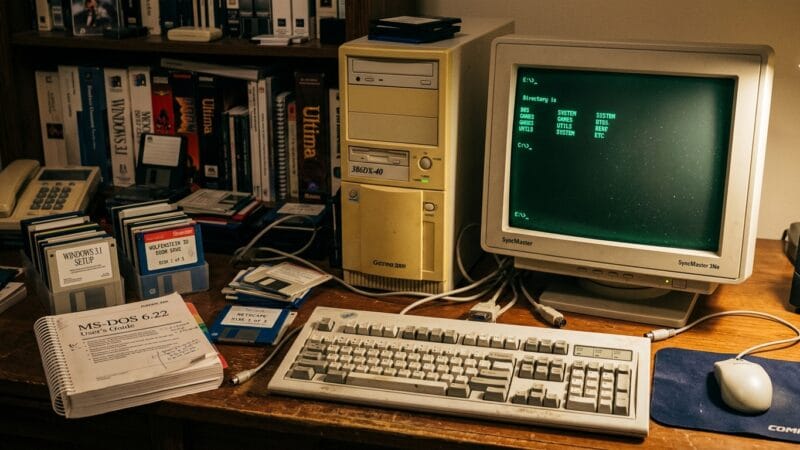
There are certain sounds that instantly drag you back through time. The angry clack of an IBM Model M. The little mechanical sigh of a 3.5″ floppy drive deciding whether it still believes in your disk. The grinding seek noise of a hard drive that sounded like it was mining coal under your desk. And, of course, the sacred incantation of early personal computing:
C:\>
For some people, nostalgia smells like old books, wet autumn leaves, or the inside of a Volvo from 1989. For me, it smells faintly of warm CRT plastic, cheap beige computer cases, dust, and the quiet panic of editing AUTOEXEC.BAT without fully remembering what half the lines did.
That is why the Virtual OS Museum is such a dangerously delightful project. It is not just a website with screenshots of old operating systems. It is a downloadable, runnable, gloriously excessive museum of operating systems, implemented as a Linux VM with a custom launcher and a frighteningly large collection of pre-installed systems ready to boot under emulation. The project describes itself as containing more than 1,700 installations, covering more than 250 platforms and hundreds of distinct operating systems, stretching from the Manchester Baby era in 1948 up to modern-ish systems. That is not a museum. That is a digital archaeological dig with a boot menu. (The Virtual OS Museum)
And for someone like me, who started the journey in 1986 with DOS and soon after discovered GEM Desktop, this thing is pure computational catnip.
Before Computers Became Smooth
My first real operating system memories are DOS memories. Not the polished, “retro aesthetic” DOS people imitate today with fake scanlines and neon-green fonts, but actual DOS. The kind where the computer did exactly what you told it to do, which was both its strength and its preferred method of punishing children.
DOS was not friendly in the modern sense. It was direct. It sat there, stared at you with a prompt, and waited. No hand-holding. No cloud login. No helpful wizard asking whether you wanted to “improve your experience.” You typed commands. Sometimes they worked. Sometimes you learned about paths, file extensions, memory limits, or why blindly deleting files was a character-building exercise.
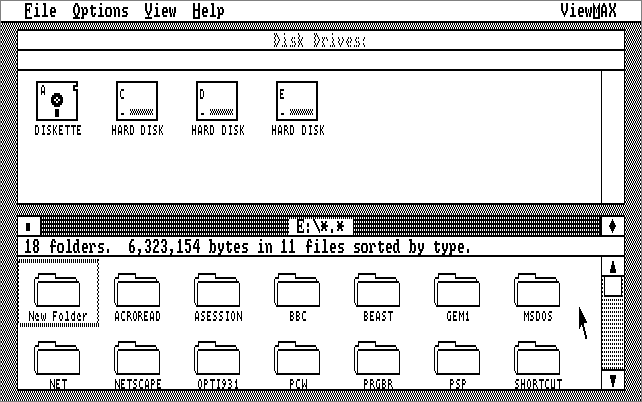
Then came GEM Desktop, which felt like someone had cracked open a window in a small concrete bunker. Suddenly there were icons. Windows. A pointer. Menus. You could click on things. It felt wildly futuristic, even if the machine underneath was still the same stubborn beast and the GUI had all the luxurious fluidity of a filing cabinet full of bricks.
Looking back, GEM was part of that fascinating period where the desktop metaphor had escaped the research labs and expensive workstations and was slowly leaking into the world of ordinary personal computers. The mouse was no longer just something Xerox and Apple people talked about in hushed GUI-priest tones. The rest of us were starting to drag little icons around too, even if the experience sometimes felt like operating a graphical interface through a straw.
That is one of the things the Virtual OS Museum captures beautifully. It lets you jump across these design eras and see how many different answers people once had to the same basic question: how should humans talk to machines?
Today, we mostly pretend the answer is “a flat rectangle full of apps, notifications, telemetry, and subscription popups.” Historically, the answer was much weirder. And much more interesting.
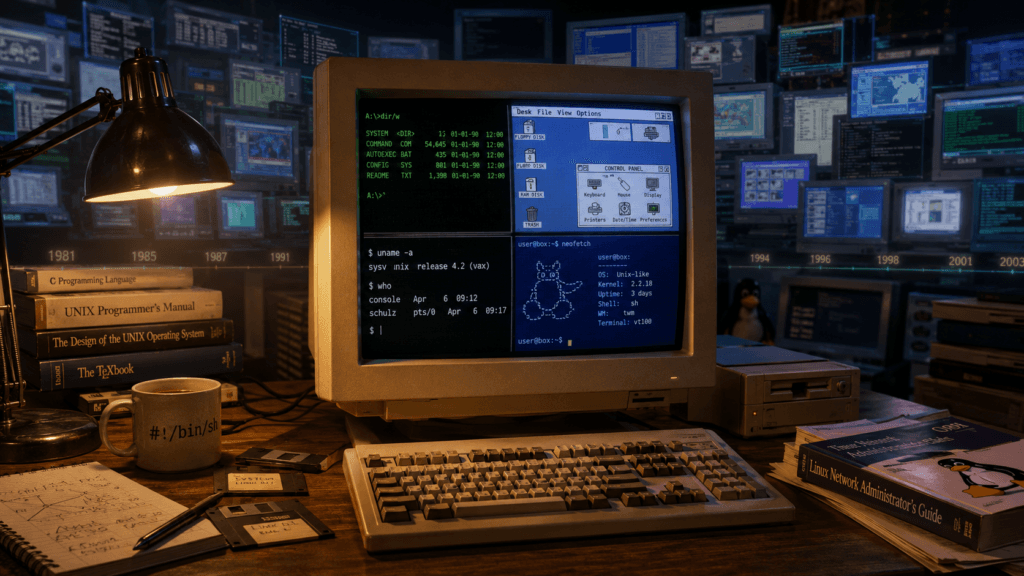
The Operating System as Personality
Modern operating systems have become strangely uniform. Windows, macOS, GNOME, KDE, Android, iOS: yes, they all have differences, and yes, people will fight about those differences with the emotional intensity normally reserved for football clubs and barbecue techniques. But compared to the wilderness of historical systems, the modern world feels strangely consolidated.
Once upon a time, operating systems had personalities.
DOS was a toolbox dumped onto a concrete floor. Efficient, sharp-edged, and absolutely happy to let you hurt yourself.
Classic Mac OS was a charming little universe where everything looked friendlier than it actually was, and one misbehaving application could still take the whole system down like a drunk uncle falling into the Christmas tree.
AmigaOS felt like a multimedia machine from a better timeline.
OS/2 had the energy of something that should have won more than it did.
BeOS felt like the future had briefly shown up, looked around, decided we were not ready, and left.
NeXTSTEP looked like it had been designed by people who wore black turtlenecks before it was a legal requirement.
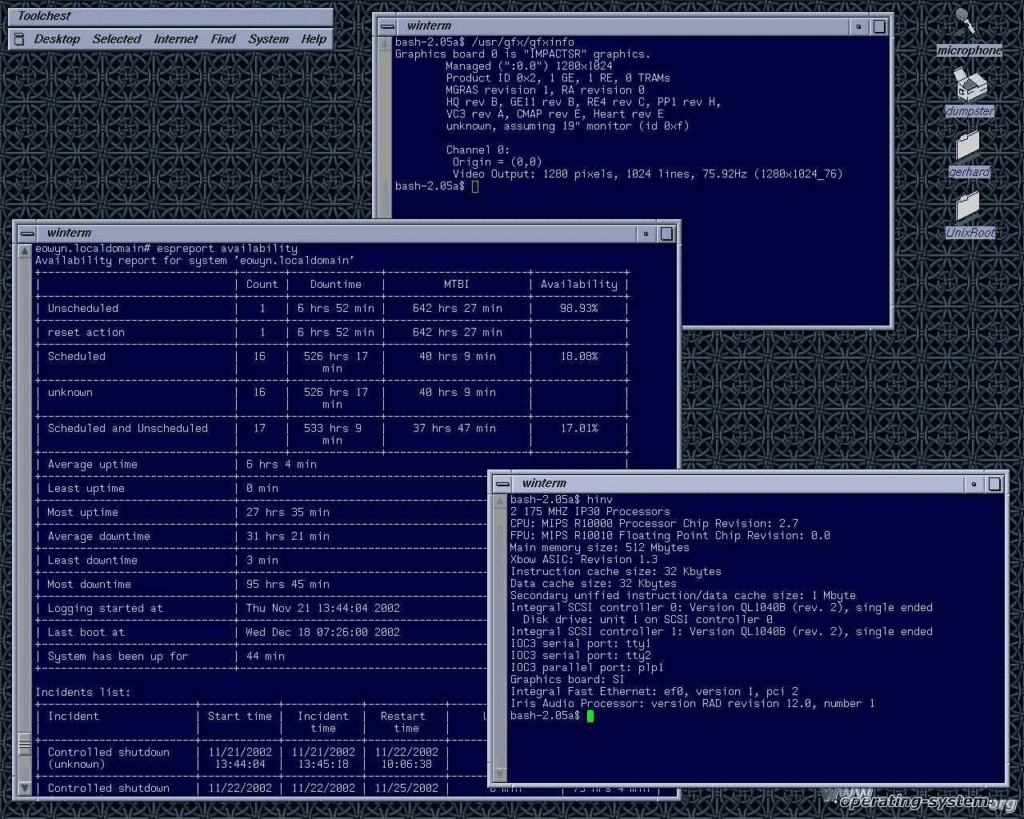
Unix systems were different again. They did not so much welcome you as test your worthiness. SunOS, Solaris, IRIX, AIX, HP-UX, the BSD family, early Linux distributions, Plan 9, and all the other strange and wonderful branches of the Unix-ish family tree had a kind of brutal elegance. You were not always having fun, exactly, but you were often learning something useful while suffering.
The Virtual OS Museum includes a huge spread of these systems: DOS variants, OS/2, BeOS, Windows releases from 1.0 through early Longhorn betas, classic Mac OS, Mac OS X for PowerPC, Unix workstation systems like SunOS, IRIX, A/UX, NeXTSTEP, Plan 9, BSDs, and early Linux distributions. It also wanders into mobile and embedded systems like Palm OS, EPOC/Symbian, Windows CE, Newton OS, QNX, and early Android and iOS where emulation permits. (The Virtual OS Museum)
That range matters because operating systems are not just technical artifacts. They are opinions made executable.
An OS tells you what its creators thought a computer was for. Is it a personal productivity machine? A timesharing environment? A workstation? A toy? A business appliance? A network node? A scientific instrument? A file server with delusions of grandeur? The UI, filesystem, permissions model, scripting tools, bundled applications, and even the error messages all reveal assumptions about the user.
And when you boot old systems, you do not just see old software. You see old futures.
1997 and the Penguin-Shaped Exit Door
By the summer of 1997, I had moved to Linux as my primary operating system. That decision may seem normal now, especially in certain technical circles, but at the time it was not exactly the comfortable route. Linux was capable, exciting, powerful, and occasionally about as friendly as a compiler error printed on sandpaper.
This was the era where running Linux meant you probably knew your graphics card chipset, your monitor refresh rates, and possibly the emotional state of your sound card. Getting X11 working could feel like negotiating a ceasefire between hardware, drivers, and ancient documentation. Package management existed, but depending on distribution and year, it could range from “actually pretty civilized” to “I have become the dependency resolver now.”
But Linux had something magical. It was yours.
Not just in the licensing sense, though that mattered. It was yours because you could inspect it, break it, fix it, recompile it, misconfigure it, rescue it, and eventually understand it. It did not hide the machinery. It invited you into the engine room, then handed you a wrench and said, “Try not to remove the wrong pipe.”
From there it was natural to poke at the BSDs, Solaris, and various other Unix-like systems. They all had their own dialects, traditions, and traps. The family resemblance was there, but each system had its own flavour. Some felt academic. Some felt industrial. Some felt like they had been designed by committees of very serious people who believed joy should be optional but man pages should be complete.
That is another reason the Virtual OS Museum is so compelling. It makes this landscape visible again. Not as a tidy Wikipedia summary, but as runnable environments. You can actually boot these systems, poke around, open terminals, inspect desktops, and feel the texture of them.
There is a big difference between reading “Solaris used CDE” and actually looking at CDE again, in all its square-buttoned, grey-purple, enterprise-workstation glory. There is a big difference between knowing that NeXTSTEP influenced modern macOS and seeing that black-and-white interface appear like a message from a parallel computing civilization. There is a big difference between saying “Plan 9 was influential” and being confronted with a system that still makes modern OS design feel less inevitable.
Preservation That Actually Boots
Software preservation often has a frustrating problem: the thing technically exists, but only in the sense that a cursed ZIP file, two dead forum links, a Japanese mirror, a patch from 2006, and a README written by someone named “Dave” technically exist.
In theory, you can run it.
In practice, you need the right emulator version, the right ROM, the right disk image geometry, the right host library versions, the right invocation flags, a sacrificial goat, and a level of patience that modern society no longer produces in sufficient quantities.
The Virtual OS Museum attacks exactly that problem. The project is not merely collecting images; it tries to make them reachable. The OSes and emulators are pre-installed and pre-configured inside a Linux VM, with a custom launcher designed to abstract away the emulator details. The launcher includes search, grouping, installation information, documentation, screenshots, run buttons, and snapshot support to revert installations when you inevitably break something while “just looking around.” (The Virtual OS Museum)
That snapshot feature is not a minor convenience. It is the difference between a museum and a crime scene.
Old systems are fragile. Sometimes because the OS itself was fragile. Sometimes because the emulator is delicate. Sometimes because you are an idiot and typed the wrong thing as root in a guest system from 1989 because you got overconfident after three minutes. A quick way back to a known-working state means you can explore without turning every click into a preservation-risk assessment.
The project’s curator also makes an important point: many OSes only run in particular emulator versions due to regressions, some emulators need minor patches, and some installations took nearly a week to get working. This is the kind of invisible labour that makes preservation projects look simple from the outside and monstrous from the inside. (The Virtual OS Museum)
Anyone who has ever tried to resurrect old software knows this pain. The easy part is usually finding the file. The hard part is reconstructing the ecological niche in which that file still behaves like software rather than an encrypted historical insult.
A Museum Where the Exhibits Can Crash
There is something wonderfully appropriate about an operating system museum being distributed as a virtual machine. It feels correct that the museum itself is an OS environment containing other OS environments. It is turtles all the way down, except the turtles have boot sectors.
There are two editions: a full edition that contains everything pre-downloaded and works offline, and a smaller lite edition that downloads disk, tape, and other images on demand when installations are first launched. The full edition is large, because of course it is: the download page currently lists it as 121 GB zipped and 174 GB unzipped. The lite edition is listed as 14 GB zipped and 21 GB unzipped. (The Virtual OS Museum)
That is both ridiculous and beautiful.
A 174 GB museum of historical operating systems is exactly the kind of thing modern storage was invented for, even if SSD manufacturers probably imagined we would use the space for 4K video, games, or wholesome family photos instead of “every operating system I can convince into emulation.”
It also works nicely as a reminder that computing history is not small. We compress it mentally into a few familiar milestones: mainframes, Unix, DOS, Mac, Windows, Linux, smartphones, cloud. But the real history is sprawling. It is full of dead ends, side roads, clever experiments, commercial failures, academic prototypes, regional platforms, workstation ecosystems, embedded oddities, and strange systems that solved real problems in ways we later forgot.
The museum includes early mainframe and minicomputer systems such as CTSS, Multics, VM/370, TOPS-10 and TOPS-20, ITS, RSX, and RSTS. It includes home computer worlds such as CP/M variants, Apple II, Commodore machines, Atari 8-bit, MSX, TRS-80, BBC Micro, ZX Spectrum, and Sharp systems. It includes research and obscure systems like Smalltalk environments, Oberon, ZetaLisp, and Plan 9. (The Virtual OS Museum)
This is the kind of collection that makes you realize how aggressively simplified our collective memory of computing has become.
The Weird Joy of Old Interfaces
One of my favourite things about old operating systems is that they are full of UI decisions that now feel alien.
Not necessarily bad. Just different.
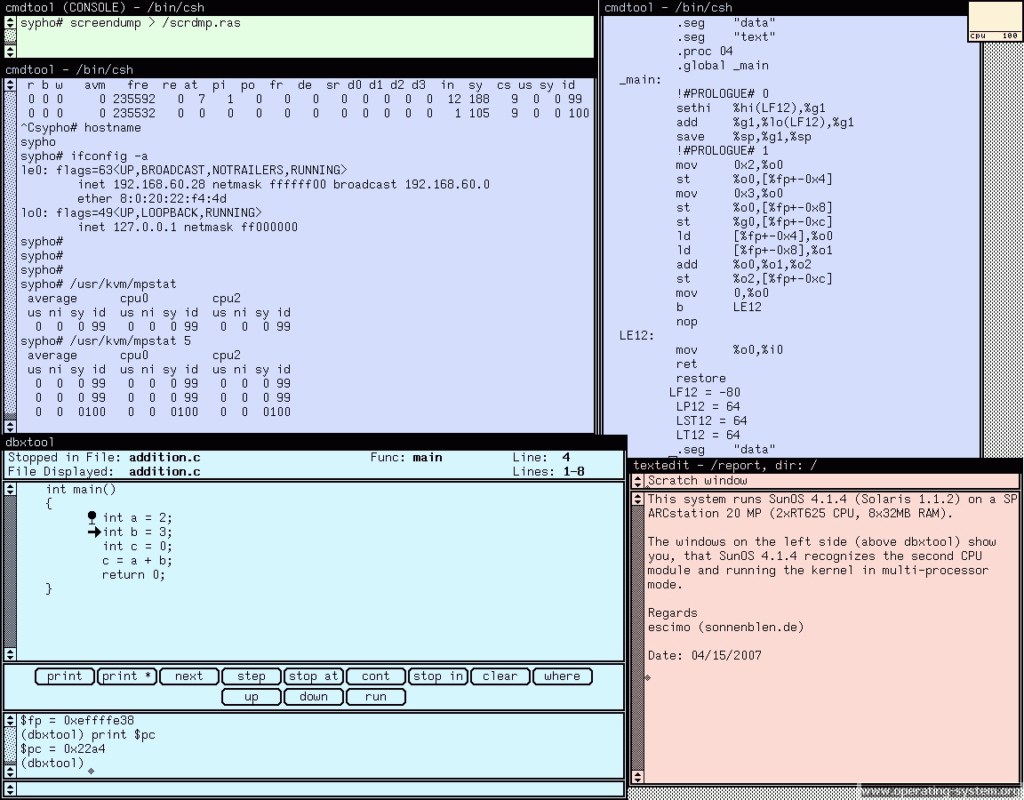
Menus appear where you do not expect them. Window controls have unfamiliar meanings. File managers assume you understand the underlying structure rather than hiding it under “recent files” and vibes. Some systems love icons. Some systems distrust them. Some desktops look like engineering tools. Others look like someone tried to invent an office desk inside 512 KB of RAM.
Modern UI tends to converge because platforms copy whatever users already understand. That has obvious benefits. But older systems often had less settled vocabulary. Designers were still discovering what a personal computer should feel like. The result is sometimes clumsy, sometimes brilliant, and often more honest than modern interfaces.
Old systems rarely pretend not to be computers.
They expose their seams. You see device names, volumes, drives, file extensions, memory limits, command shells, configuration files, mount points, weird utilities, and error messages that sound like they were written by someone who expected you to have the manual open. It can be frustrating, but it is also refreshing. The machine is not pretending to be a lifestyle accessory. It is a machine.
That is probably why old operating systems still appeal to people who enjoy understanding their tools. They remind us that computing used to feel more mechanical. You could sense the layers. Hardware, firmware, bootloader, kernel, shell, desktop, applications. The abstraction stack was thinner, or at least more visible.
Today, when a modern app fails, it says something like “Oops, something went wrong.”
Old software would say “General protection fault” and then destroy your afternoon.
Honestly, I respect the clarity.
Nostalgia, But Not Blind Nostalgia
Of course, nostalgia has a tendency to lie.
It edits out the bad parts. It remembers the excitement of early Linux and forgets the hours spent convincing a modem or sound card to behave. It remembers DOS fondly and forgets conventional memory. It remembers classic desktops and forgets how often they crashed. It remembers the thrill of experimentation and forgets that half the experiments ended with reinstalling something from a pile of floppy disks.
So let us be honest: a lot of old computing was terrible.
Hardware was expensive. Documentation was uneven. Compatibility was a swamp. Networking was arcane. Drivers were a blood sport. Fonts were crimes. Internationalization was often treated as an optional side quest. Security ranged from “interesting” to “please do not connect this to anything.” Many systems were unstable, limited, proprietary, or hostile in ways that would be unacceptable today.
But the point of revisiting old operating systems is not to pretend everything was better. It was not.
The point is to remember that things were possible in more ways than one.
Computing history is full of alternative designs that did not win commercially but still contain useful ideas. BeOS had astonishing responsiveness and multimedia ambition. Plan 9 treated distributed computing and filesystems in ways that still feel provocative. Smalltalk environments blurred the line between system and development environment. Classic Unix systems forced a compositional way of thinking that still underpins huge parts of modern infrastructure. Early GUIs experimented with metaphors before everything became a grid of apps and notifications.
The Virtual OS Museum lets us revisit those ideas not as screenshots, but as living artifacts. Slightly creaky, emulated, occasionally temperamental living artifacts, but alive enough to poke.
That matters.
Why This Kind of Project Matters
The obvious reason is nostalgia. That is the fun part. Booting old OSes is enjoyable because it takes us back to formative moments: the first prompt, the first GUI, the first time we realized the machine would do what we told it, provided we could figure out how to tell it correctly.
But the deeper reason is literacy.
If you only know modern computing, it is easy to assume today’s designs are inevitable. App stores. Sandboxed mobile platforms. Cloud-first accounts. Auto-updating everything. Telemetry. Subscription software. Locked bootloaders. Increasingly opaque layers between user and machine.
History shows that none of this was inevitable. It is the result of technical, commercial, cultural, and political choices. Old operating systems are evidence of other choices.
Some were worse. Some were better. Some were beautifully strange. Some were ahead of their time. Some deserved to die in a small electrical fire. But all of them help us understand the current world as one branch of a much larger tree.
For developers, these old systems are humbling. They remind us that constraints can produce elegance. They also remind us that “modern” is not synonymous with “better.” A system from 1993 may lack everything we now consider necessary, but it may also boot faster, expose clearer abstractions, and avoid spending 800 MB of RAM to show you a settings panel.
For security people, old systems are a reminder of how much the threat model has changed. Many historical systems were built for worlds where the network was trusted, users were local, and malware was something that arrived on disks, not through an adtech supply chain running JavaScript in a browser tab. Looking at them today is like looking at castles built before artillery. Fascinating, beautiful, and absolutely not something you should expose to the public internet unless your hobby is incident response.
For ordinary computer users, the museum is simply a chance to see how weird and varied computing used to be.
And for people like me, it is a chance to revisit the road from DOS and GEM to Linux, Unix workstations, BSD experiments, Solaris boxes, and all the other systems that shaped how we think about computers.
A Warning: This Is a Rabbit Hole
The Virtual OS Museum is not something you “quickly check out.”
That is like saying you will quickly inspect a warehouse full of vintage synthesizers, arcade cabinets, and forbidden snacks. You may enter with discipline. You will not leave with it.
You boot one thing. Then another. Then you wonder what early Windows really felt like again. Then you want to compare GEM to other early PC GUIs. Then you remember OS/2 existed. Then you fall into NeXTSTEP. Then you decide to look at IRIX because everyone still talks about those SGI machines like they were designed by alien industrial artists. Then it is suddenly 02:13 and you are reading documentation for a system whose original user base probably retired before TikTok was invented.
This is not a complaint.
A good museum should make you wander. It should give you enough structure to navigate, but enough surprise to get lost. The Virtual OS Museum seems to understand that. It is broad, searchable, runnable, and practical enough that exploration does not require turning your evening into emulator sysadmin work.
That last part is important. Enthusiasts often underestimate how much friction kills curiosity. If the path to booting an old system involves assembling a custom emulator, locating ROMs, converting disk images, reading a half-dead mailing list, and debugging host dependencies, most people will simply never do it. Not because they are lazy, but because life is short and dinner exists.
A museum that makes the experience reachable changes that.
The Old Prompt Still Blinks
I sometimes wonder what it was about those early systems that hooked so many of us so deeply.
Part of it was timing. Computers arrived in our lives while they were still understandable enough to feel personal. You could sit in front of a machine and gradually map it in your head. The operating system was not a distant service layer maintained by a corporation and mediated through an account. It was right there. Files, commands, disks, memory, drivers, config. You could touch the edges.
Part of it was the sense of possibility. Every system felt like a door into a slightly different universe. DOS taught discipline. GEM hinted at visual computing. Linux opened the engine room. BSD showed another lineage of Unix thinking. Solaris and the workstation Unices revealed the serious industrial side of computing. Each one added another mental model.
And part of it, honestly, was that computers were still weird.
They had not yet been fully domesticated.
The Virtual OS Museum preserves that weirdness. Not perfectly, of course. Emulation is never the same as sitting in front of the original hardware, with the correct keyboard, display, fan noise, and desk clutter. But it is close enough to matter. It keeps the systems runnable, explorable, and visible. It turns operating systems from dead screenshots into things that can still surprise you.
That is worth celebrating.
Because somewhere under all the modern layers, all the cloud services, all the app frameworks, all the polished surfaces and telemetry checkboxes, the old prompt is still blinking.
Waiting.
Not asking for an account.
Not offering a subscription.
Just waiting for you to type something.
And maybe break it.
Which, frankly, is how many of us learned in the first place.