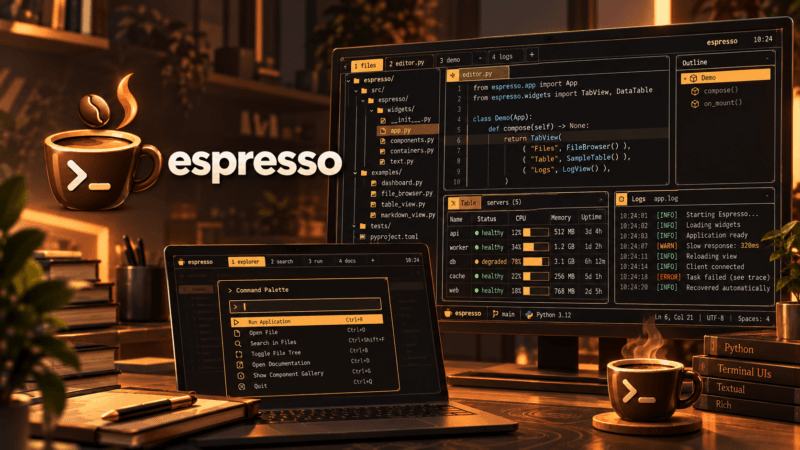
Somewhere around the late nineties, the software industry collectively convinced itself that user interfaces are best built by constructing a precarious tower of mutable objects that shout at each other across an event bus.
We called it Model-View-Controller, borrowed it from Smalltalk-80, and spent the subsequent four decades discovering inventive ways to make it fall over. In the browser world, this manifested as two-way data binding and DOM trees where mutating a single checkbox would silently trigger five event listeners, update three controllers, invoke an asynchronous HTTP call, and ultimately crash the interface because a neighboring widget had already unmounted itself in protest.
When developers grew tired of browser madness and retreated to the comfort of the terminal, they brought the exact same baggage along for the ride. Terminal user interfaces in Python have historically required you to choose between two flavors of pain: wrestling directly with raw curses calls like an archaeologist deciphering cuneiform tablets, or adopting heavyweight frameworks that essentially recreate a miniature, asynchronous web browser inside your terminal emulator complete with virtual DOMs, CSS engines, and deeply nested object inheritance trees.
There is, however, a fundamentally different way to build interfaces. It is called The Elm Architecture, and once you have tasted it, going back to mutable widget hierarchies feels like trading a freshly pulled espresso for a cup of instant coffee that was brewed three days ago.
The Elm Epiphany: Unidirectional Sanity
In 2012, Evan Czaplicki designed a functional programming language called Elm for building browser interfaces. While the language itself introduced many pleasant functional ideas, its lasting gift to software engineering was its architectural pattern: The Elm Architecture, or TEA.
To understand why TEA feels like cold water to a parched developer, consider the fundamental flaw of traditional UI architectures. In traditional object-oriented UI frameworks, state is distributed everywhere. A text input widget holds its own buffer. A sidebar holds its own visibility flag. The parent dialog holds a copy of both, while a background thread occasionally mutates a database model and tries to push changes back up the tree. Keeping these disparate caches of truth in sync requires a sprawling spiderweb of callbacks, signals, and observers. If two events arrive out of order, or if an exception is raised halfway through a state mutation, your interface ends up in an impossible, unrecoverable state.
The Elm Architecture demolishes this entire mental model with three deceptively simple concepts:
First, your entire application state is represented by a single, immutable snapshot called the Model. It is not a collection of reactive proxy objects or hidden getters and setters; it is plain, inspectable data. A dictionary, a dataclass, or a tuple. If it is not in the Model, it does not exist in your application.
Second, your visual interface is a pure function called the View. It takes the current Model and returns a description of what should be displayed. It does not update widgets in place. It does not look up DOM nodes by ID or call .setText() on a child view. Given the exact same Model, the View will always return the exact same visual representation. Every single time.
Third, state transitions only happen through an Update function that processes discrete Messages. When a user presses a key, resizes the terminal window, or clicks a mouse button, the runtime wraps that interaction in a Message object and feeds it to update(msg, model). The update function inspects the message, computes the next Model, and hands it back to the runtime.
Crucially, side-effects such as reading a file from disk, executing an HTTP request, or waiting on a timer are completely forbidden from executing inside the update loop. Instead, the update function returns an inert command description called a Cmd. The runtime executes the command asynchronously in the background and, upon completion, sends the result back into the front of the queue as a brand new Message.
       +------------------------------------+
       |                                    |
       v                                    |
+-------------+      +--------------+       |
|   Message   | ---> | update(msg)  | ----> | (New Model, Cmd)
+-------------+      +--------------+       |
       ^                    |               |
       |                    v               |
+-------------+      +--------------+       |
|   Runtime   | <--- |  view(model) |       |
+-------------+      +--------------+       |
       ^                                    |
       | (Cmd results become Messages)      |
       +------------------------------------+
Because data flows in a single, unidirectional loop, race conditions evaporate. There are no competing threads clobbering each other’s memory, no zombie callbacks firing on destroyed elements, and no impossible intermediate states. If a bug occurs, you do not need to pause time and inspect fifteen layers of widget wrappers; you simply print the stream of incoming Messages and observe the exact state transition that went off the rails. It makes deterministic testing and time-travel debugging trivial.
The Lineage of Inspiration
The web world eventually recognized the wisdom of unidirectional flow. React popularized a virtual DOM variation of it, Redux attempted to codify it in JavaScript with varying degrees of boilerplate-induced suffering, and ClojureScript explored it with libraries like Om and re-frame.
Yet the real terminal revolution arrived when the team at Charmbracelet released Bubble Tea in Go.
Charm took the pure functional purity of TEA and demonstrated that it was not merely an academic exercise for web browsers; it was the ideal design pattern for the modern command line. In Go, Bubble Tea became an overnight sensation because it delivered terminal user interfaces that were clean, resilient, and visually stunning, accompanied by Lip Gloss for declarative layout and Bubbles for reusable UI elements.
Watching Go developers build fluid, glitch-free terminal dashboards made the Python landscape look rather dated. Python had curses, which dates back to the 1970s and still behaves like it. Python had Prompt Toolkit, which is capable for autocompletion and line editing but was never architected as a pure application framework. And Python had Textual, an undeniably impressive engineering feat that nonetheless chose the path of full reactive DOM emulation, complete with custom CSS parsers, widget tree hierarchies, and reactive watchers.
Textual is great if you want to write a desktop application that happens to live inside an xterm-256color window. But what if you do not want a virtual browser engine? What if you want the lightweight, predictable, functional simplicity of Bubble Tea, but written in clean, modern Python without dragging fifty dependencies into your virtual environment?
That question was the genesis of Espresso.
Brewing Espresso
Espresso is a lightweight, zero-dependency implementation of The Elm Architecture built specifically for Python 3.10 and newer. The name is not accidental: it is intended to provide a concentrated, robust shot of terminal UI ergonomics without any diluted filler.
When designing Espresso, two non-negotiable principles guided the implementation:
The first principle was zero external dependencies. Espresso relies strictly on Python’s standard library: asyncio for the asynchronous event loop, termios and tty for raw terminal I/O, and unicodedata for text analysis. You do not need to install twenty transitive wheels or worry about C compiler toolchains just to run a terminal utility. You can drop it into a standalone script, bundle it into an executable zipapp (.pyz), or ship it as a self-contained single-file binary.
The second principle was embracing modern Python syntax. Prior to Python 3.10, implementing TEA in Python required awkward class inspections or chains of isinstance checks. But with the arrival of structural pattern matching (match / case), Python suddenly gained the expressive ergonomics of a typed functional language. Handling messages in an Espresso update loop feels like writing native pattern matching in Elm, Rust, or OCaml.
To see what this looks like in practice, here is a complete interactive counter written in Espresso:
from espresso import Model, Msg, Cmd, KeyMsg, Program, quit_app

class Counter(Model):
    def __init__(self):
        self.count = 0

    def init(self) -> Cmd | None:
        return None

    def update(self, msg: Msg) -> tuple[Model, Cmd | None]:
        match msg:
            case KeyMsg(key="+" | "up"):
                self.count += 1
            case KeyMsg(key="-" | "down"):
                self.count -= 1
            case KeyMsg(key="q" | "esc"):
                return self, quit_app
        return self, None

    def view(self) -> str:
        return f"Count: {self.count}\n\n[+/-] Adjust  [q] Quit"

if __name__ == "__main__":
Program(Counter()).run()Notice what is missing. There are no widget classes to inherit from, no lifecycle callback registrations, no .bind() invocations, and no hidden state managers. Your model is just data, update is a state transition, and view simply formats a string.
Under the hood, Espresso’s runtime drives the application through an alternate screen buffer (\x1b[?1049h), tracks terminal resize events, manages standard SGR mouse tracking, and uses a high-performance line-diffing render engine backed by synchronized terminal double buffering (DEC 2026). Instead of blindly wiping and redrawing the entire screen on every frame, Espresso compares the new frame with the previous buffer line-by-line and only emits ANSI escape codes for rows that actually changed. The result is instant, buttery-smooth rendering with zero cursor flicker.
The Smooth Crema and The Reusable Beans
A raw string renderer is only half the battle. If you have ever tried to draw a simple bordered box in ANSI terminal output, you know that calculating visual column widths, handling multi-byte characters, and aligning text manually will rapidly drive you to madness.
To solve this, Espresso divides its world into focused architectural layers:
+--------------------------------------------------------------+
|                         BEANS                                |
| (Reusable components: TextAreas, Trees, Sliders, ArtPlayer)  |
+--------------------------------------------------------------+
|                         CREMA                                |
| (Declarative styling, borders, FlexBox, Grid, TrueColor)     |
+--------------------------------------------------------------+
|                        ESPRESSO                              |
| (Core TEA runtime, event loop, line-diffing engine, mouse)   |
+--------------------------------------------------------------+
Crema: Declarative Styling and Layout
Inspired by Lip Gloss, Crema is the styling and layout engine of the framework. It provides a declarative, immutable box model that lets you compose terminal strings with CSS-like precision:
from espresso.crema import Style, ROUNDED_BORDER, Align, linear_gradient

card = (
    Style()
    .bold(True)
    .foreground("#FAFAFA")
    .background("#7D56F4")
    .border(ROUNDED_BORDER)
    .border_foreground("#00E676")
    .border_title(" System Status ", align=Align.LEFT)
    .padding(1, 2)
    .width(42)
    .align(Align.CENTER)
    .render(linear_gradient("All systems operational across cluster", "#00E676", "#00B0FF"))
)
print(card)Crema handles TrueColor (24-bit RGB) and ANSI 256 colors, linear gradients, multi-column responsive Grid layouts, proportional FlexBox containers, defensive overlay compositing (place_overlay), and automatic word wrapping with ANSI style preservation across soft line breaks.
Crucially, Crema solves the notorious Unicode cell width conundrum. In terminal programming, string length does not equal visual width: fullwidth CJK characters occupy two terminal cells, zero-width joiners (ZWJ) bind multi-part emojis together, and variation selectors alter presentation widths.
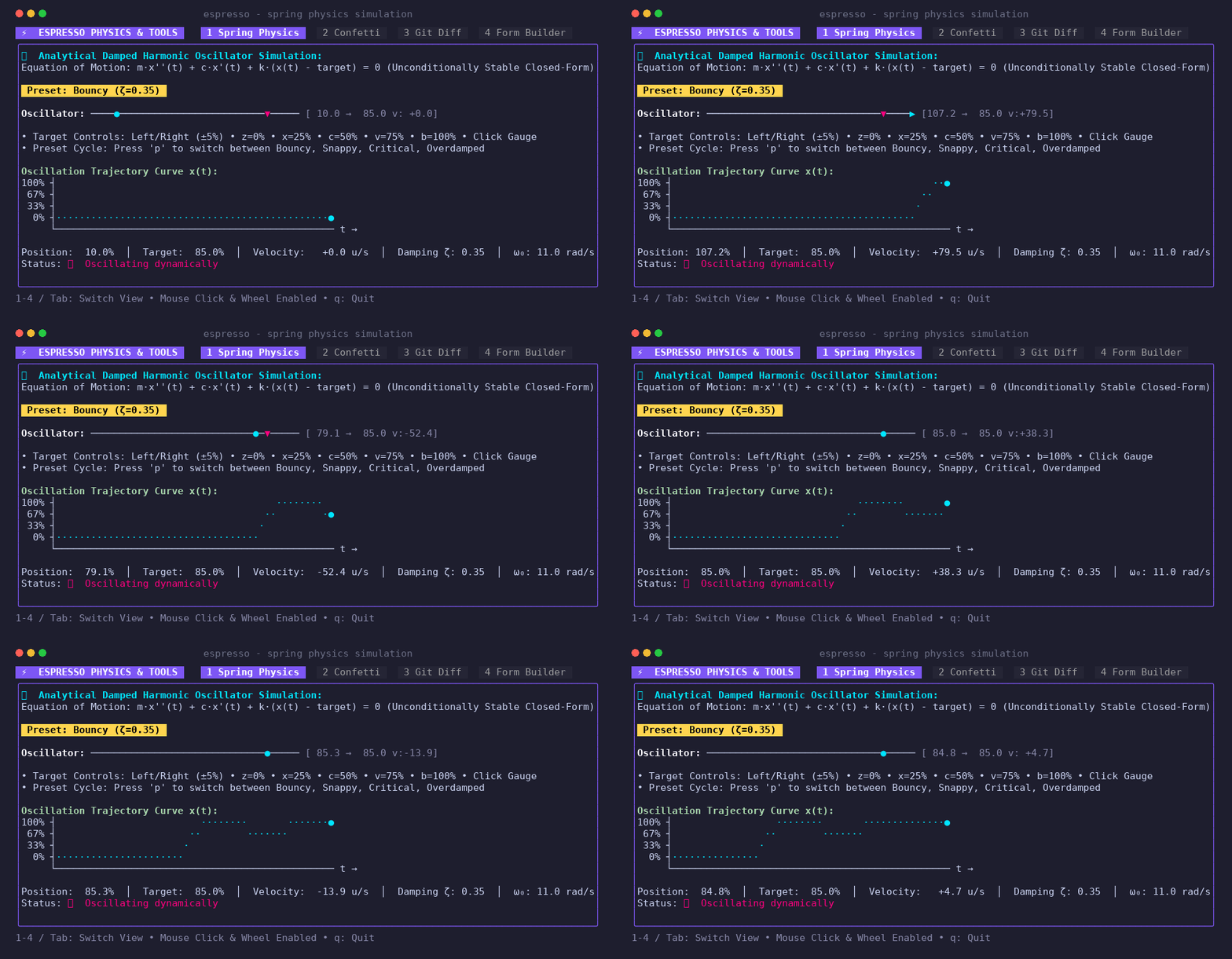
Crema normalizes Unicode property lookups and embeds internal interval tables so that visual column math remains exact. Furthermore, Espresso introduces configurable EmojiWidthMode and AmbiguousWidthMode settings, allowing applications to calibrate their layout math defensively across diverse modern terminal emulators – from Ghostty, Alacritty, and Kitty to WezTerm and iTerm2 – without broken borders or misaligned text.
Beans: The Component Library
Once you have a reliable runtime and a capable styling engine, you need components. In the Bubble Tea ecosystem, reusable elements are known as Bubbles; in Espresso, they are naturally called Beans.
Espresso ships with over 50 production-ready Beans. These are not stateful widgets that manage their own back-channels. Every single Bean is itself a self-contained TEA component with its own init(), update(msg), and view() methods. You embed them into your parent Model, delegate messages down to them with a single line of code, and stitch their visual output into your parent view.
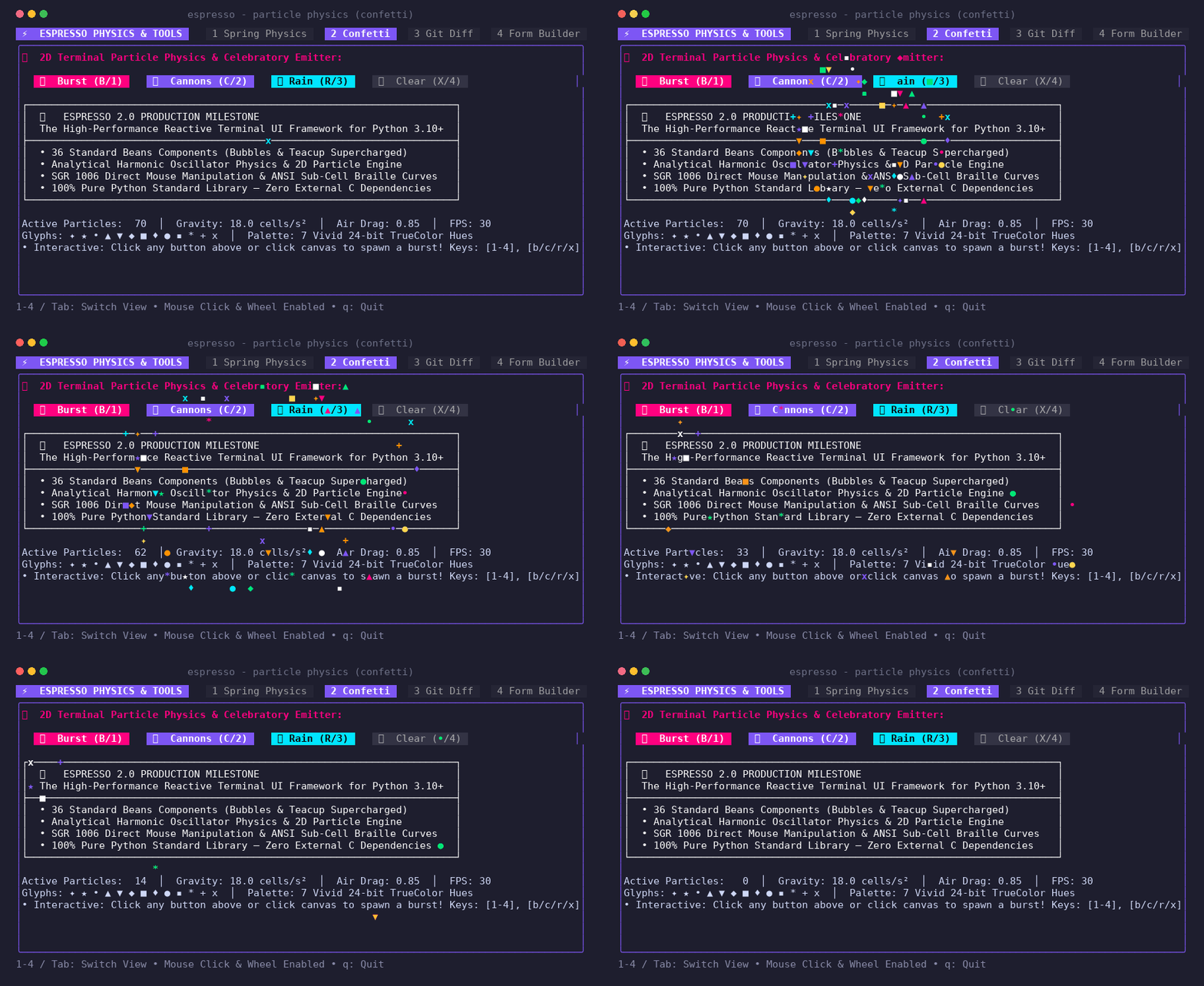
The catalog covers everything you would expect in a modern terminal application: interactive form inputs, fuzzy command palettes, searchable lists, splitters, datepickers, syntax-highlighted code viewers, and responsive tables.
It also covers things you might never have expected in a lightweight terminal library:
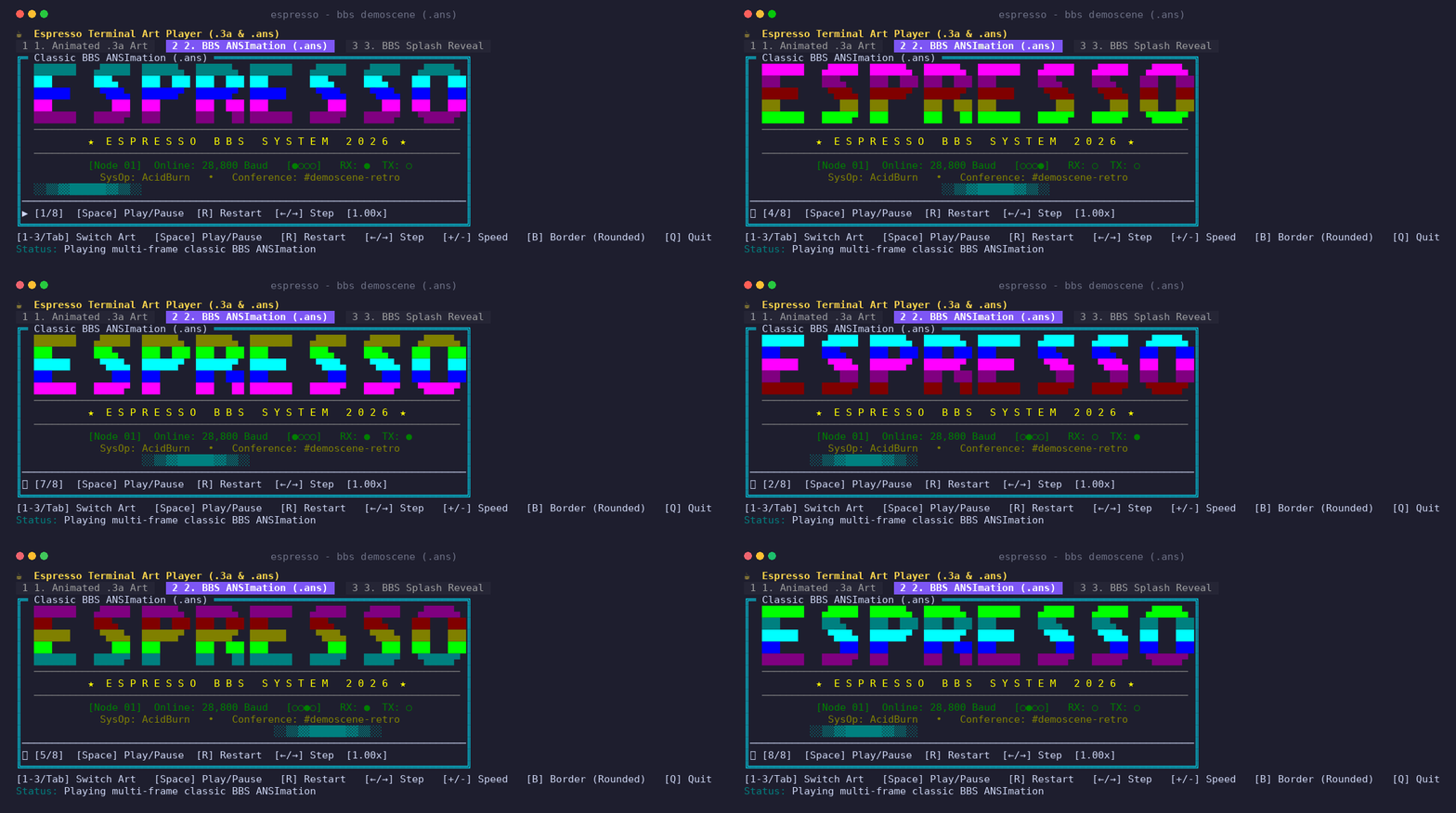
Desktop Application Primitives: Components like MenuBar with cascading dropdowns, hotkey accelerators, and mnemonic Alt+<key> support; MultiSplitter for fluid, multi-pane resizable layouts with independent draggable dividers; and Wizard for multi-step guided onboarding flows. Native Terminal Graphics (ImageViewer): Direct support for hardware terminal graphics protocols, including DEC Sixel and the Kitty Graphics Protocol, featuring automatic terminal capability detection, transparent tmux passthrough protection, and high-fidelity fallbacks to 24-bit half-blocks (▀) and 2×4 Braille dot matrices. Pure Python 3D Software Rasterization (MeshViewer): A software 3D rendering engine that parses and displays OBJ, STL, PLY, and GLB models directly inside your terminal with real-time camera orbit controls, Lambert and Gouraud shading, and a high-resolution Braille canvas. Universal Live Plotting (Plot): A charting studio supporting real-time streaming multi-series line and area plots, financial candlesticks, donut gauges, and heatmaps with interactive pan, zoom, and crosshair inspection. BBS Demoscene Art (ArtPlayer): Dedicated parsers for modern .3a Animated ASCII Art and classic .ans ANSI art files with CP437 codepage decoding, SAUCE metadata extraction, and progressive modem-speed playback.
Bringing the Terminal to Life
One of the delightful aspects of building a terminal framework with an ArtPlayer and dynamic particle engines (like Espresso’s Confetti Bean) is that static screenshots do not do it justice. When a BBS demoscene graphic cycles through shifting neon raster bars, or when a steaming cup of coffee gently wafts animated ASCII steam while you navigate between tabs, you really want to see the motion.
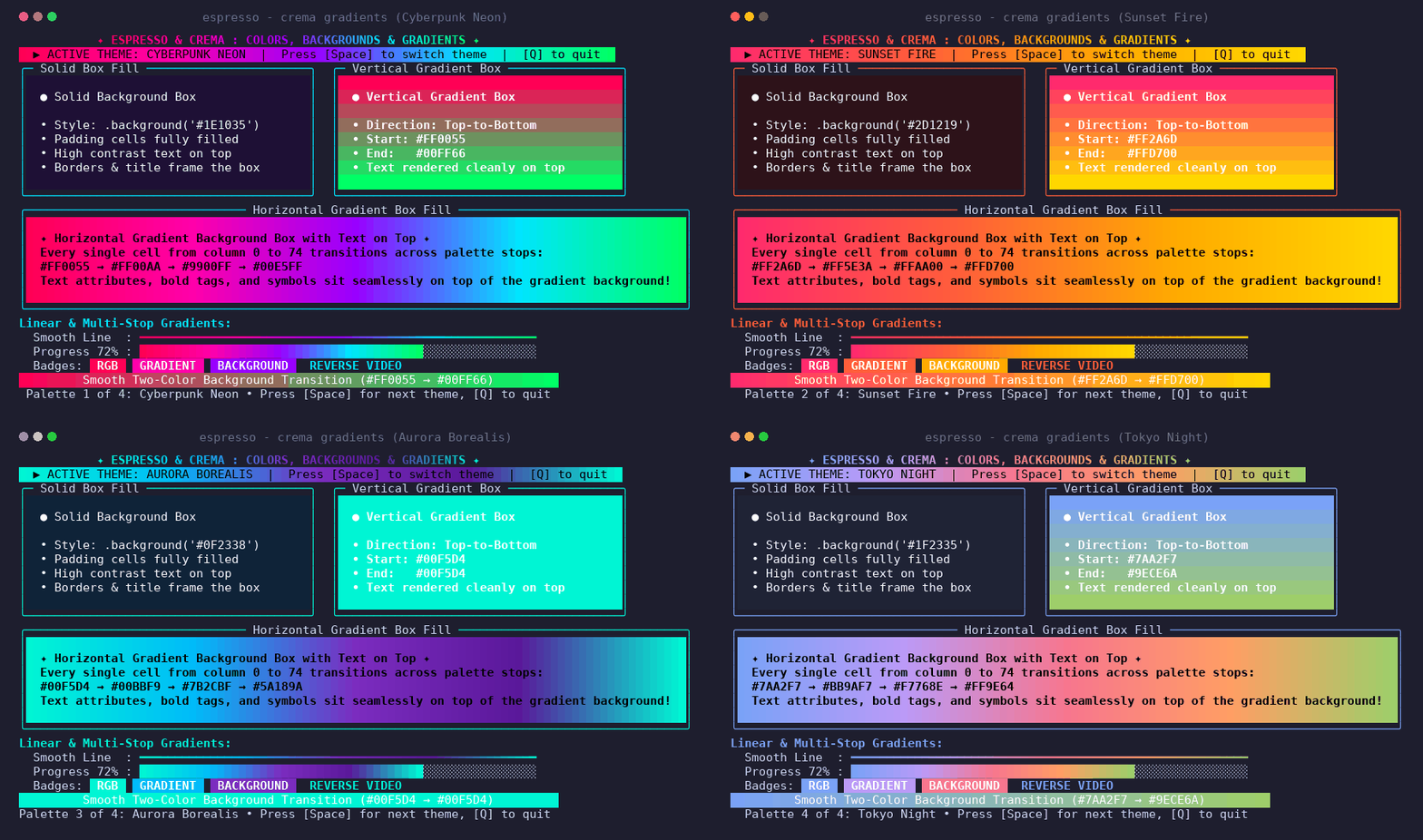
I have been experimenting with tools like Charm’s vhs and asciinema to script and record reproducible terminal sessions directly into animated graphics. There is something immensely satisfying about writing a plaintext script that launches an Espresso application, executes keyboard navigation, and spits out a crisp, lightweight SVG or WebM recording that showcases the exact frame rate and line-diffing performance of the engine. Look out for a few of those animated captures appearing on the project repository and in upcoming posts.
From Toy Demos to the Real World: Mastui and EspressoMail
Building a counter demo or a toy form is easy. Every UI framework looks elegant when the example application fits in forty lines of code. The real acid test of any architecture is whether it survives contact with messy, asynchronous, real-world applications.
The First Proving Ground: Mastui
To put Espresso through its paces early on, I took on a substantial challenge: porting Mastui, a full-featured terminal client for Mastodon.
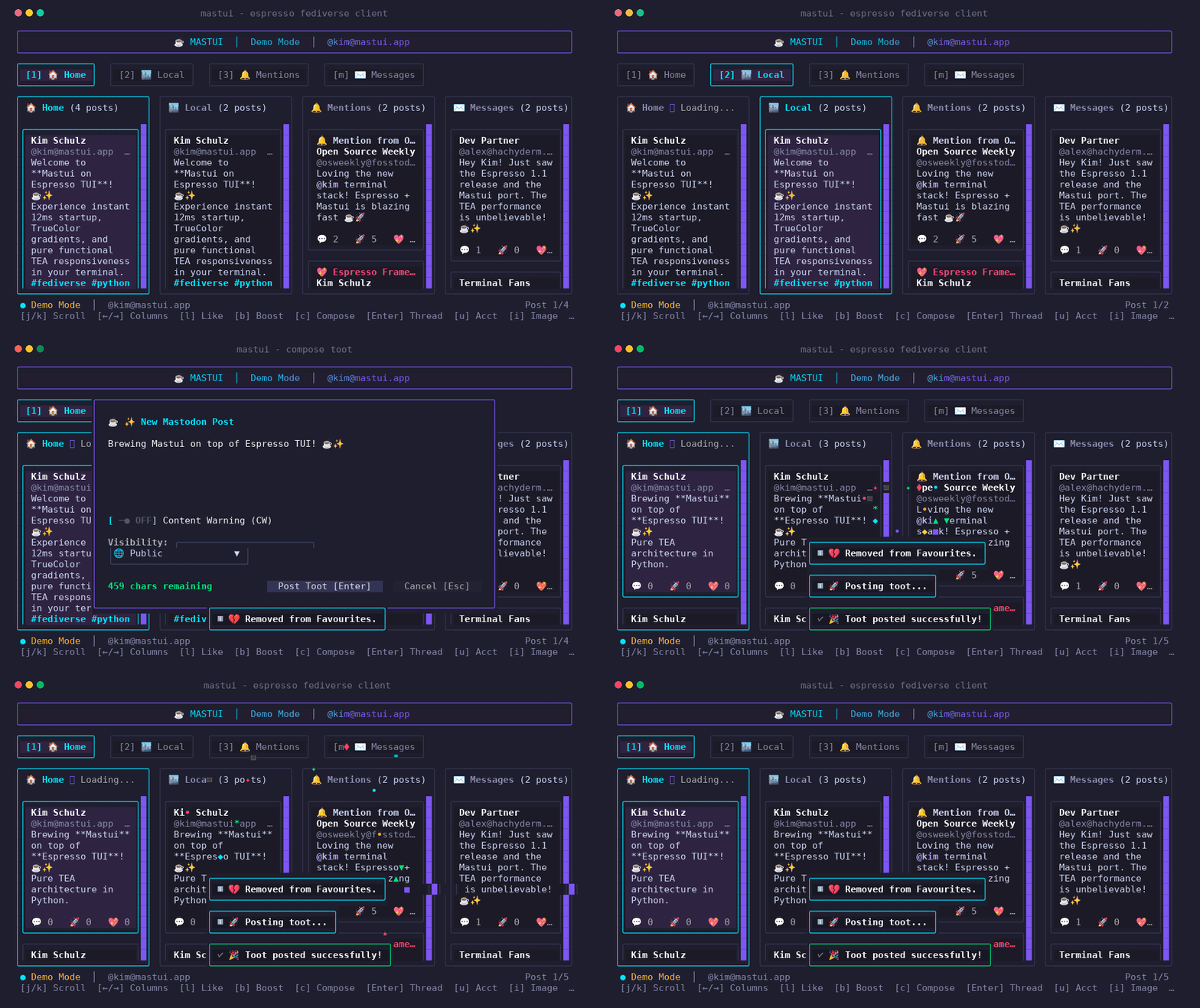
Mastui is not a simple script. It features multi-pane layouts, live streaming timelines from remote Mastodon instances, background pagination, OAuth authentication flows, complex media attachment rendering, and modal composition overlays with dimmed backdrops. Under an object-oriented architecture, managing asynchronous timeline streaming while a user is typing a reply inside a modal dialog is a minefield of potential race conditions and threading deadlocks.
Porting Mastui to Espresso provided the initial validation of TEA in Python: network calls to the Mastodon REST and streaming APIs were wrapped entirely in Cmd tasks. When new posts arrived from the network, the background task simply produced a TimelineLoadedMsg(posts). The parent Model received the message, appended the items to a VirtualList Bean, and returned. The line-diffing engine repainted only the modified rows on the screen.
When the user opened a reply dialog, the parent model placed a ModalStack Bean on top of the view. The background timeline could continue receiving messages and updating its internal data model silently, but because the View purely composed the modal over the background, the UI never glitched, flickered, or lost user focus.
The Desktop-Class Acid Test: EspressoMail
If porting a Mastodon client validated the architecture, building EspressoMail pushed it into full desktop-class territory.
Email is notoriously one of the most brutal application domains in software engineering. A production-ready email client must juggle multi-account IMAP synchronization, long-lived background IMAP IDLE push sockets, SMTP submission, MIME tree parsing, RFC 5322 header formatting, local SQLite full-text search with BM25 ranking, external $EDITOR invocations, OpenPGP cryptographic signing, Sieve filter editing, and inline image attachments.
Under traditional UI frameworks, building a terminal email client usually leads to an unmaintainable tangle of locks, threading primitives, and fragile signal bindings.
With EspressoMail, The Elm Architecture turned this complexity into an orderly, deterministic machine:
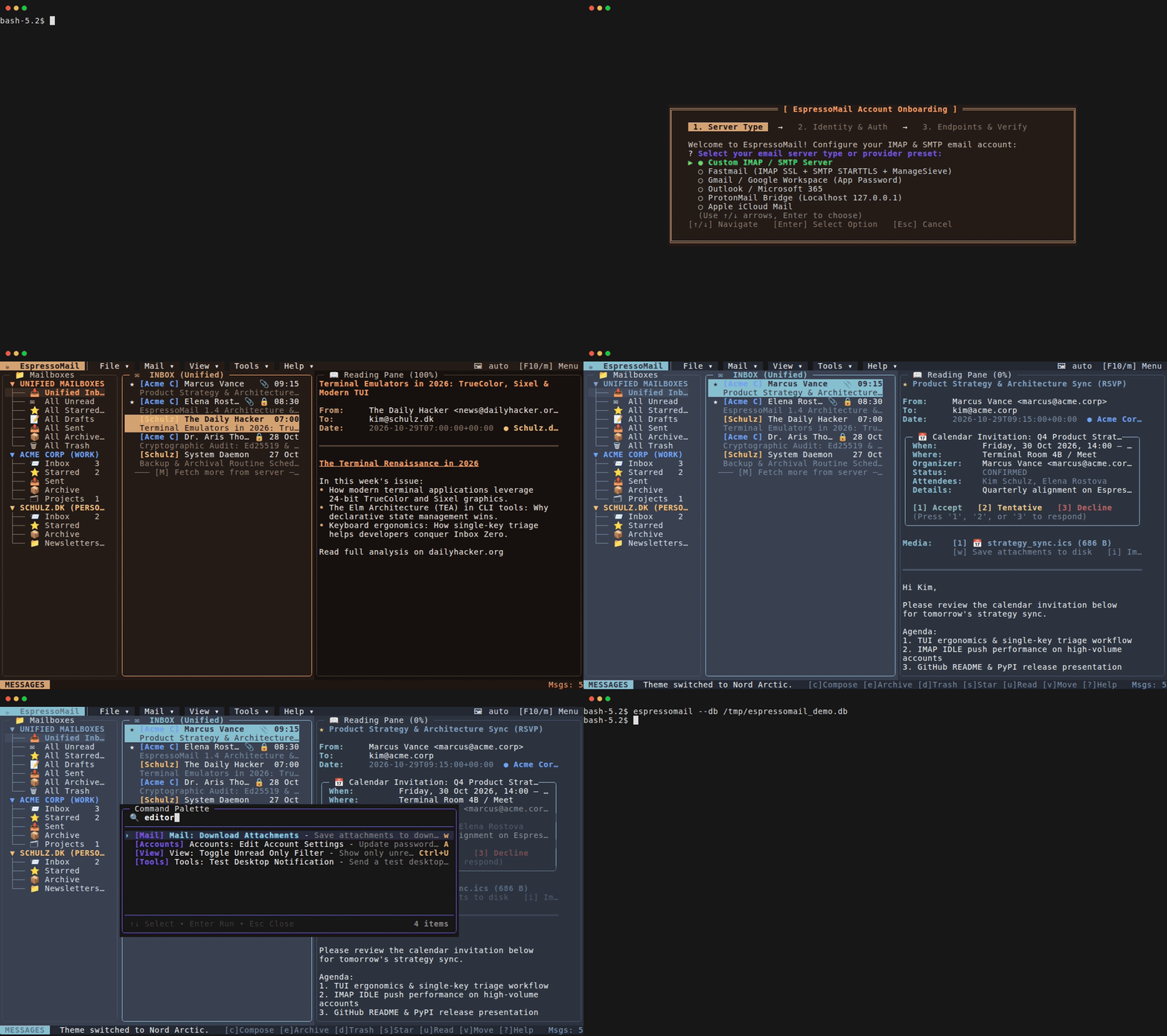
- A Responsive 3-Pane Workspace: Built on Espresso’s layout engine and
MultiSplitter, EspressoMail arranges a hierarchical Mailboxes tree, a JWZ-threaded message list, and an expansive reading pane with interactive dividers that can be resized via keyboard shortcuts or mouse drag. - Top Menu Bar & Command Palette: An interactive
MenuBarprovides full top-level desktop menus (File, Mail, View, Tools, Help) with cascading dropdowns, hotkey accelerators, and mnemonicAltnavigation, paired with a fuzzyCtrl+Pcommand palette. - Zero-Lock Background Concurrency: Long-lived IMAP IDLE connections and periodic folder syncs run quietly as background
Cmdtasks. When a new email arrives over the wire, it simply drops anIdleNewMailMsginto the runtime queue. The model updates its SQLite WAL store, updates the unread badge on the folder tree, and refreshes the thread list without freezing user input or requiring a single mutex. - Inline Terminal Image Attachments: Leveraging Espresso’s graphics engine, EspressoMail renders incoming image attachments directly inside the terminal reading pane using native hardware DEC Sixel and Kitty Graphics Protocols (or Chafa, half-blocks, and Braille), switchable on the fly with a single keystroke.
- Markdown Composing & External Editor Suspension: Users can compose emails in Markdown with live terminal preview (
F4), or pressCtrl+Oto suspend the terminal UI cleanly, hand control over to their native$EDITOR(Neovim, Vim, Nano, Micro), and seamlessly resume the Espresso runtime once the draft is saved. - Crash-Isolated Plugins: From DeepL neural translation and AI-generated email summaries (via Ollama, Claude, or OpenAI) to DMARC/SPF authentication inspectors and one-click mailing list unsubscribing, plugins integrate cleanly into the message loop without compromising core stability.
EspressoMail proves that The Elm Architecture in Python is not just an elegant academic exercise for twenty-line CLI toys. It is capable of powering robust, responsive, production-grade applications that rival dedicated GUI clients.
Where Espresso Stands: v1.4.0 and Beyond
Espresso has matured rapidly. With v1.4.0 now out in the wild, features that were once speculative roadmap items are now standard capabilities:
- Multi-Platform Native Binaries: In addition to standard PyPI installation (
pip install espressoTUI) and universal zero-install standalone.pyzbundles, every release publishes pre-compiled native standalone binaries for Linux (x86_64), macOS (Apple Silicon & Intel), and Windows (x86_64)—delivering instant startup with zero Python runtime required on the target machine. - Built-in CLI Tooling: The
espressoCLI lets developers scaffold new TEA projects (espresso new my_app.py), explore an interactive component gallery (espresso gallery), or run any of the 21 built-in example applications (espresso run 14). - Polyglot Internationalization (
espresso.i18n): A complete built-in localization framework featuring lightweight JSON translation catalogs, CLDR pluralization, runtime language switching, mnemonic hotkey extraction, and automated CLI translation extraction tools. - Developer Utilities (
espresso.utils): Standardized utilities for Unicode grapheme cluster splitting, 2D geometry hit-testing (HitMap,Rect), human-readable formatters, and WCAG 2.1 color contrast calculation.
If you have spent your developer life dreading terminal UI work because you assumed your only choices were archaic curses bindings or heavyweight reactive DOM engines, I encourage you to take a sip of Espresso.
Sometimes, the best way to move forward in software engineering is to strip away forty years of accumulated architectural bloat, embrace a single unidirectional loop, and discover how fast, predictable, and enjoyable building terminal applications can be when you keep it simple.
Espresso: Open source on GitHub and available on PyPI via pip install espressoTUI. Standalone binaries and component galleries are available on the releases page. EspressoMail: Explore the full-featured terminal email client at github.com/kimusan/espressomail.