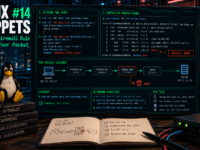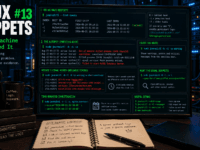
I am back with another small linux tip in my Linux Snippet series where I try to give easy fixes for how to stay private;soverign; safe. If you did not see the last post on the ss command, you can find it here.
The Hidden Data Trail
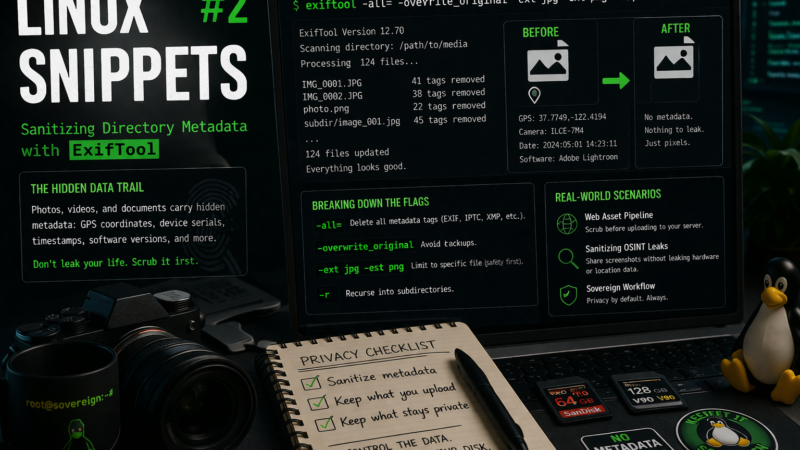
Every time you snap a picture, record a video, or export a document, your device embeds a silent dossier into the file. This metadata can include precise GPS coordinates, the serial number of your hardware, timestamps down to the millisecond, and the software versions you are running.
If you are hosting your own infrastructure or sharing media online, blindly uploading these files is a massive privacy leak. Before any image leaves your local machine to sit on a public server, scrubbing this data should be a mandatory step in your workflow.
The Command
While there are many GUI tools for this, they are slow and often miss proprietary tags. The industry standard is exiftool. To recursively sanitize a directory of images in one go, I run:
exiftool -all= -overwrite_original -ext jpg -ext png -r /path/to/media/
Breaking Down the Flags
Many Linux users instinctively reach for find combined with -exec to process directories, but exiftool has built-in batch processing that is far faster and safer.
-all=: The nuclear option. This tells the tool to delete all metadata tags (EXIF, IPTC, XMP, etc.) and replace them with nothing.-overwrite_original: By default,exiftoolcreates a backup of the original file by appending_originalto the filename. If you are preparing a staging directory for upload, this flag prevents duplicating all your files and cluttering the directory.-ext jpg -ext png: Restricts the operation to specific file extensions. Blindly running-all=on a directory without specifying extensions can accidentally corrupt files that rely on metadata to function properly.-r: Recursively processes all subdirectories within the specified path.
Real-World Scenarios
This command is built for batch-processing staging environments. Here is how it fits into a sovereign workflow:
- The Web Asset Pipeline: Before using
rsyncorscpto push a new folder of images to your web server (like for a blog post), you run this command on your local staging folder. It guarantees that a casual photo of your hardware setup doesn’t accidentally broadcast your home’s GPS coordinates. - Sanitizing OSINT Leaks: When sharing diagnostic screenshots or photos of your server rack on forums or Mastodon, stripping the metadata ensures you aren’t leaking the exact make and model of your phone, or the time of day your network might be unattended.
A Note on Color Profiles
Because -all= is aggressively thorough, it will also strip embedded ICC color profiles. For 99% of web uploads, this is perfectly fine and saves bandwidth. However, if you are uploading professional photography where color accuracy across different monitors is critical, you should restore the color profile immediately after the wipe by altering the command slightly: exiftool -all= -tagsfromfile @ -icc_profile -overwrite_original ...
Privacy is about knowing what you broadcast. Control the data before it leaves your disk.