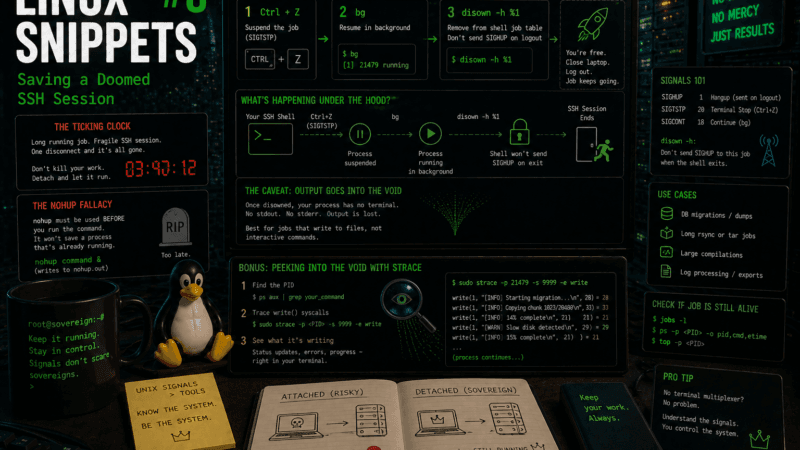
The Ticking Clock
You SSH into a remote server to run a quick rsync or a database migration. You hit Enter. Ten minutes later, the progress bar is at 2%, and you realize this is going to take four hours.
The problem? You didn’t start the command inside tmux or screen. You just ran it directly in your bash prompt. If you close your laptop lid, board your flight, or lose your Wi-Fi connection, the SSH socket will break. When that happens, the remote server’s kernel will send a SIGHUP (Signal Hang Up) to your terminal session, instantly executing every child process attached to it. Your database migration will die mid-write.
You don’t need to cancel the job and start over. You can use native Unix job control to decouple the running process from your fragile SSH session.
The nohup Fallacy
If you ask a forum how to keep a command running after logging out, someone will inevitably tell you to use nohup.
The syntax is nohup command &. It stands for “No Hang Up,” and it tells the system to ignore the SIGHUP signal and write all output to a file called nohup.out.
This is fantastic advice, assuming you have a time machine. nohup must be invoked before you execute the command. If the command is already running and you are staring at a painfully slow progress bar, nohup cannot help you. You need a retrospective fix.
The Escape Sequence
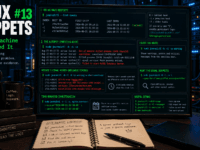
When you are staring at the running command output and need to disconnect safely, execute this exact sequence:
- Hit
Ctrl + Z - Type
bgand hit Enter - Type
disown -h %1and hit Enter
You can now safely type exit, close your laptop, and the remote server will finish the job.
Breaking Down the Magic
This sequence manipulates how the kernel routes signals between your shell and the running process.
Ctrl + Z(Suspend): This does not kill the program. It sends aSIGTSTP(Terminal Stop) signal. The kernel freezes the process exactly where it is in memory and hands control of the prompt back to your shell.bg(Background): Now that you have your prompt back, this command tells the shell to resume the frozen job, but to run it in the background. (If you run thejobscommand right now, you will see your process listed with a job ID, usually[1]).disown -h %1: This is the ultimate escape hatch.disownremoves the job from the shell’s active job table. The-hflag specifically instructs the shell: “When this SSH session ends, do not send a SIGHUP to job #1.”
The Caveat
Because the process is now decoupled from your terminal, it no longer has a standard output (stdout) or standard error (stderr) to print to. If the command was spitting out a progress bar or text to your screen, those messages will now disappear into the void.
The process is still running, utilizing the CPU, and writing to the disk, but you cannot easily “re-attach” to view its screen output like you could with tmux. For this reason, this trick is best used for commands that are already writing their output to a file (like tar czf archive.tar.gz /data or a database dump), rather than commands requiring interactive input.
Bonus: Peeking into the Void
What if you disowned the process, went to lunch, came back, and the CPU is still grinding? Because you lost stdout, you have no idea if it is actually doing work or if it is stuck in an infinite error loop.
You don’t need a terminal multiplexer to see what a process is doing. You can ask the kernel to intercept its system calls in real-time using strace.
Find the process ID (PID) using ps aux | grep your_command, and then run:
sudo strace -p <PID> -s 9999 -e write
This intercepts every single write operation the process is making. If your database migration is still printing status updates into the void, strace will catch those strings and dump them to your screen, letting you safely monitor a disowned process without ever reattaching to it.
It is a zero-dependency safety net. It requires no installed packages, works on servers stripped down to their bare metal, and proves that understanding Unix signals is vastly more powerful than memorizing third-party tools.
Over to you: Have you ever accidentally killed a multi-hour compilation by closing a terminal window too early? What is your default remote session tool—are you a tmux loyalist, or have you migrated to modern alternatives like zellij?