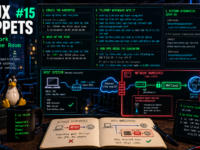
Introducing the “Sovereign Snippets” Series: Most of our time is spent in complex configurations, but the real power of a Linux system often hides in the short, punchy commands we use every day to maintain control over our hardware. I’m starting this series to document the specific “one-liners” I use to audit, secure, and manage my systems. No fluff—just functional tools for those who prefer the CLI over a GUI.
The Inbound Connection Problem
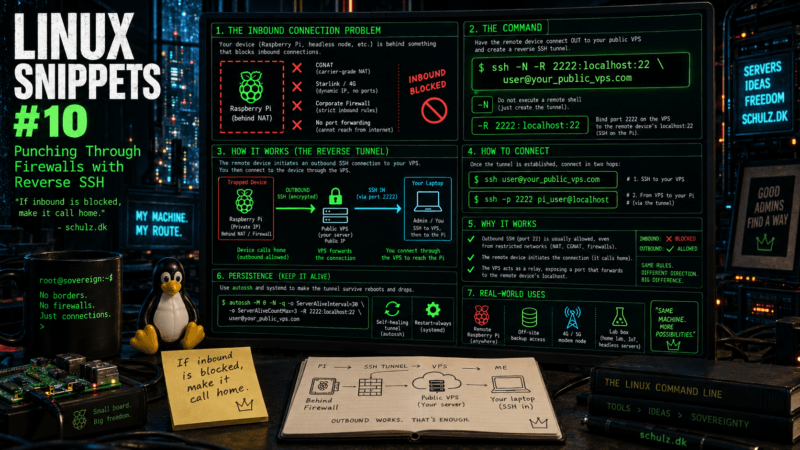
You deploy a headless Raspberry Pi at a remote location—maybe as an off-site backup at a relative’s house, or an environmental monitor on a 4G cellular modem. You drive back home and realize you need to SSH into it to fix a configuration error.
The problem? You can’t reach it.
You are blocked by Carrier-Grade NAT (CGNAT), Starlink’s routing, or a corporate firewall that explicitly drops all inbound connections. You have no ability to log into the local router to set up port forwarding. The traditional response to this is installing a mesh VPN like Tailscale or ZeroTier. While those tools are excellent, they require installing third-party software and relying on external infrastructure to broker your connections.
If you have a cheap public VPS (Virtual Private Server) and native SSH, you don’t need third-party tools. You can force the trapped device to punch a hole out of the firewall and hold the door open for you.
The Command
From the command line of the trapped device (the one sitting behind the strict firewall), run this to connect to your public VPS:
ssh -N -R 2222:localhost:22 user@your_public_vps.comBreaking Down the Flags
This command initiates a standard outbound SSH connection (which virtually all firewalls allow), but it carries a specific payload.
-N: This tells SSH, “Do not execute a remote command and do not open an interactive shell.” We are only using this connection to forward ports. It keeps the command running silently in the background.-R 2222:localhost:22: This is the magic. The Reverse bind. It tells the VPS to open port2222on its own local loopback interface. Any traffic that hits port2222on the VPS will be funneled backward through the encrypted tunnel and dumped ontolocalhost:22(the SSH port) of the trapped machine.
How to Actually Connect
Once that tunnel is established, the trapped machine is waiting. To access it from your laptop at home, you take a two-step hop:
- SSH into your public VPS normally:
ssh user@your_public_vps.com - Once inside the VPS, SSH into the local reverse port:
ssh -p 2222 pi_user@localhost
You are now successfully logged into the trapped machine, having completely bypassed its local router and firewall rules.
The Context: Persistence and AutoSSH
If the trapped device reboots, or the internet connection drops for a few minutes, the SSH tunnel will break and you will lose your backdoor. For true remote sovereignty, this tunnel needs to be self-healing.
Enter autossh. It is a tiny, native package available in almost every Linux repository that monitors an SSH connection and automatically restarts it if it drops.
Install it (sudo apt install autossh), and then wrap the command in a systemd service file on the trapped device:
# /etc/systemd/system/reverse-tunnel.service
[Unit]
Description=Reverse SSH Tunnel
After=network-online.target

[Service]
User=pi_user
# -M 0 disables autossh's own monitoring to let SSH's native keep-alive handle it
ExecStart=/usr/bin/autossh -M 0 -N -q -o "ServerAliveInterval 30" -o "ServerAliveCountMax 3" -R 2222:localhost:22 user@your_public_vps.com
Restart=always
RestartSec=10

[Install]
WantedBy=multi-user.targetEnable it with sudo systemctl enable --now reverse-tunnel. Now, whenever that machine receives power and an internet connection, it will silently phone home to your VPS and establish the reverse tunnel, holding the door open for you 24/7 without a single third-party dependency.
Over to you: Have you ever been completely locked out of a remote node by an unexpected CGNAT IP change? Do you prefer pure SSH tunnels, or have you surrendered to the convenience of WireGuard/Tailscale for remote management?