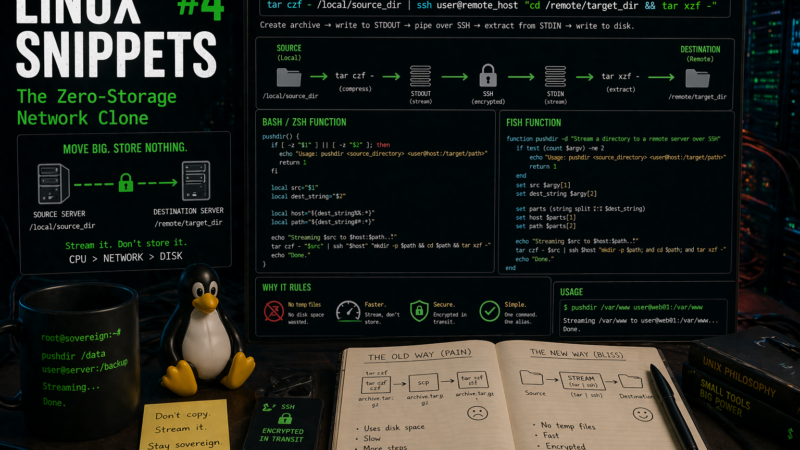
Moving a heavy directory between two servers usually follows a bleak, predictable pattern. You run a command to compress the folder into a massive archive. You wait. You realize the server is out of disk space halfway through. You delete old logs, restart the compression, use scp to copy the file across the network, and finally unpack it on the destination machine.
This process is a waste of read/write cycles. If you have SSH access, you can stream the filesystem directly from source to destination in memory.
The Raw Command
We use standard tape archive utilities piped directly over an encrypted network connection.
tar czf - /local/source_dir | ssh user@remote_host "cd /remote/target_dir && tar xzf -"The efficiency here relies entirely on how standard input and standard output function in Unix. The tar czf - segment creates the archive, compresses it with gzip, and writes it directly to standard output instead of the disk. The pipe catches that output and shoves it into the SSH connection. On the remote side, tar xzf - reads from standard input, catching the stream sent over SSH and unpacking it directly onto the disk.
This completely bypasses local storage limits. The data is read from the source disk, compressed in the CPU, fired across the network interface, and written directly to the destination disk. I use this constantly when migrating web roots or moving large datasets off a brittle Raspberry Pi where writing a 10GB archive to the local SD card would cause a system lockup.
Building the Alias Wrapper
Typing that entire pipeline out every time you need to move a folder gets old fast. We can wrap it into a simple function. Instead of memorizing the syntax, you can just type pushdir /local/data user@server:/remote/path.
The syntax for adding a function depends on which shell you use.
For Bash and Zsh
If you are running bash or zsh, open your ~/.bashrc or ~/.zshrc file and add this function at the bottom:
pushdir() {
  if [ -z "$1" ] || [ -z "$2" ]; then
    echo "Usage: pushdir <source_directory> <user@host:/target/path>"
    return 1
  fi

  local src="$1"
  local dest_string="$2"

  # Split the destination into host and path
  local host="${dest_string%%:*}"
  local path="${dest_string#*:}"

  echo "Streaming $src to $host:$path..."
  tar czf - "$src" | ssh "$host" "mkdir -p $path && cd $path && tar xzf -"
  echo "Done."
}
Reload your configuration with source ~/.bashrc or source ~/.zshrc.
For Fish
If you use fish, the syntax is slightly different. Create a new file at ~/.config/fish/functions/pushdir.fish and add this logic:
function pushdir -d "Stream a directory to a remote server over SSH"
    if test (count $argv) -ne 2
        echo "Usage: pushdir <source_directory> <user@host:/target/path>"
        return 1
    end

    set src $argv[1]
    set dest_string $argv[2]

    # Split using string split
    set parts (string split ":" $dest_string)
    set host $parts[1]
    set path $parts[2]

    echo "Streaming $src to $host:$path..."
    tar czf - $src | ssh $host "mkdir -p $path; and cd $path; and tar xzf -"
    echo "Done."
endThe function handles creating the target directory if it does not exist. It parses the standard user@host:/path string format you are already used to from scp or rsync. For anything traversing the public internet, this single wrapper replaces three tedious steps and guarantees the data is encrypted in transit without thrashing your disks.